
If you are new to the world of crypto and looking for a simple, clutter-free experience, Binance Lite is your best friend. This version of the app removes complex trading charts and tools, allowing you to focus on the basics: Buying, Selling, and Converting.
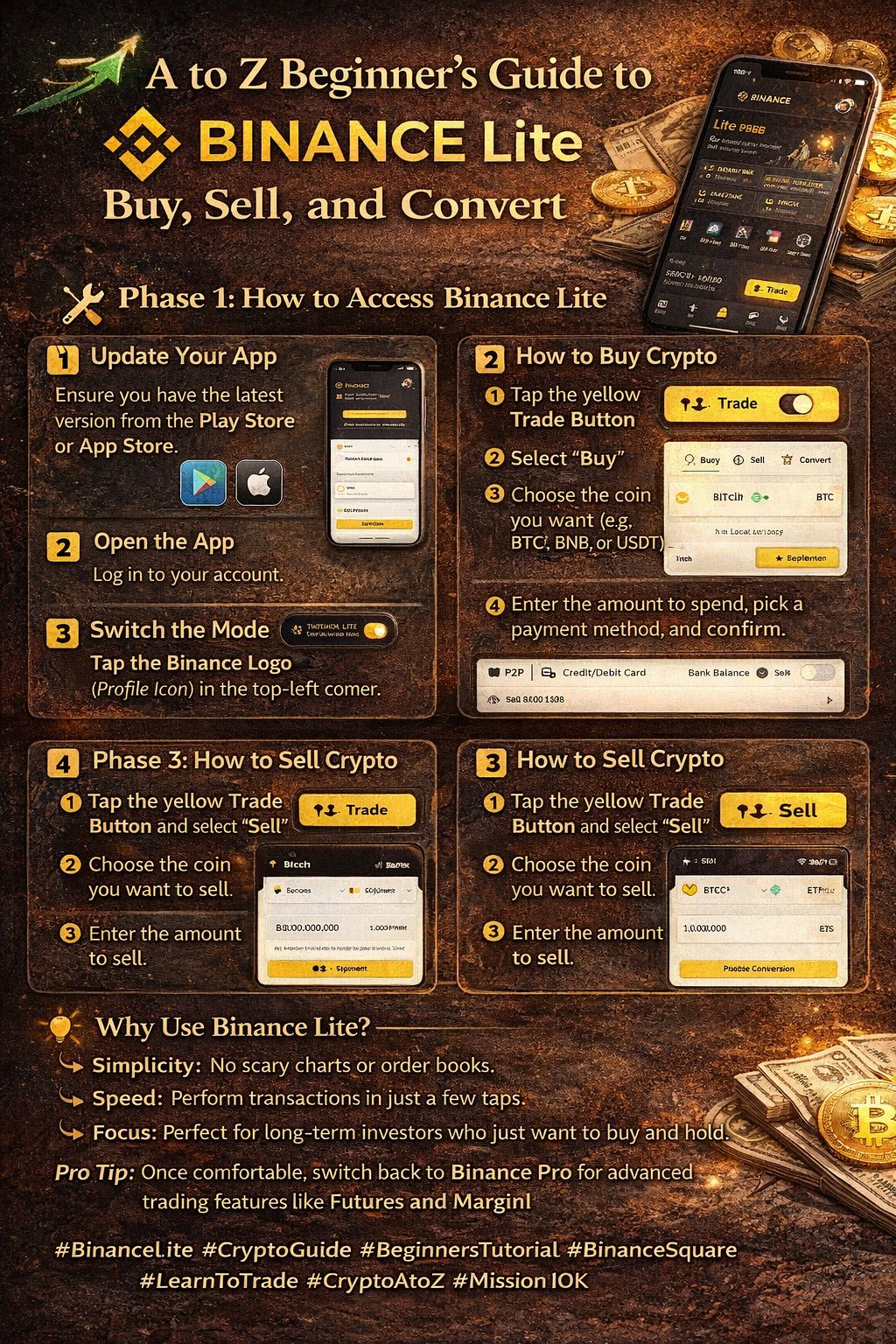
🛠️ Phase 1: How to Access Binance Lite
You don't need a separate app! Binance Lite is built right into your standard Binance App.
Update Your App: Ensure you have the latest version of the Binance App from the Play Store or App Store.
Open the App: Log in to your account.
Switch the Mode: Tap the Binance Logo (Profile Icon) in the top-left corner of your home screen.
Toggle to Lite: You will see a switch for "Binance Lite." Simply tap it to activate the simplified interface.
💳 Phase 2: How to Buy Crypto
Buying your first coin is now as easy as online shopping.
Step 1: Tap the yellow Trade Button (the two arrows icon) at the bottom of the screen.
Step 2: Select "Buy."
Step 3: Choose the cryptocurrency you want (e.g., $BTC , $BNB , or USDT).
Step 4: Enter the amount you wish to spend in your local currency.
Step 5: Choose your payment method (P2P, Card, or Bank Balance) and confirm the transaction.
💰 Phase 3: How to Sell Crypto
When you're ready to take your profits, follow these steps:
Step 1: Tap the yellow Trade Button and select "Sell."
Step 2: Choose the coin you want to sell.
Step 3: Enter the amount you want to sell.
Step 4: Confirm the sale to receive your local currency or stablecoins.
🔄 Phase 4: How to Convert Crypto
Want to swap your Bitcoin for Ethereum without any fees? Use the Convert feature.
Step 1: Tap the yellow Trade Button and select "Convert."
Step 2: Select the coin you have (From) and the coin you want (To).
Step 3: Enter the amount and tap "Preview Conversion."
Step 4: Confirm the trade instantly.
💡 Why Use Binance Lite?
Simplicity: No scary charts or order books.
Speed: Perform transactions in just a few taps.
Focus: Perfect for long-term investors who just want to buy and hold.
Pro Tip: Once you become comfortable with the Lite version, you can always switch back to Binance Pro to access advanced trading features like Futures and Margin!
#BinanceLite #cryptoguide #BeginnersTutorial #BinanceSquare #LearnToTrade

