

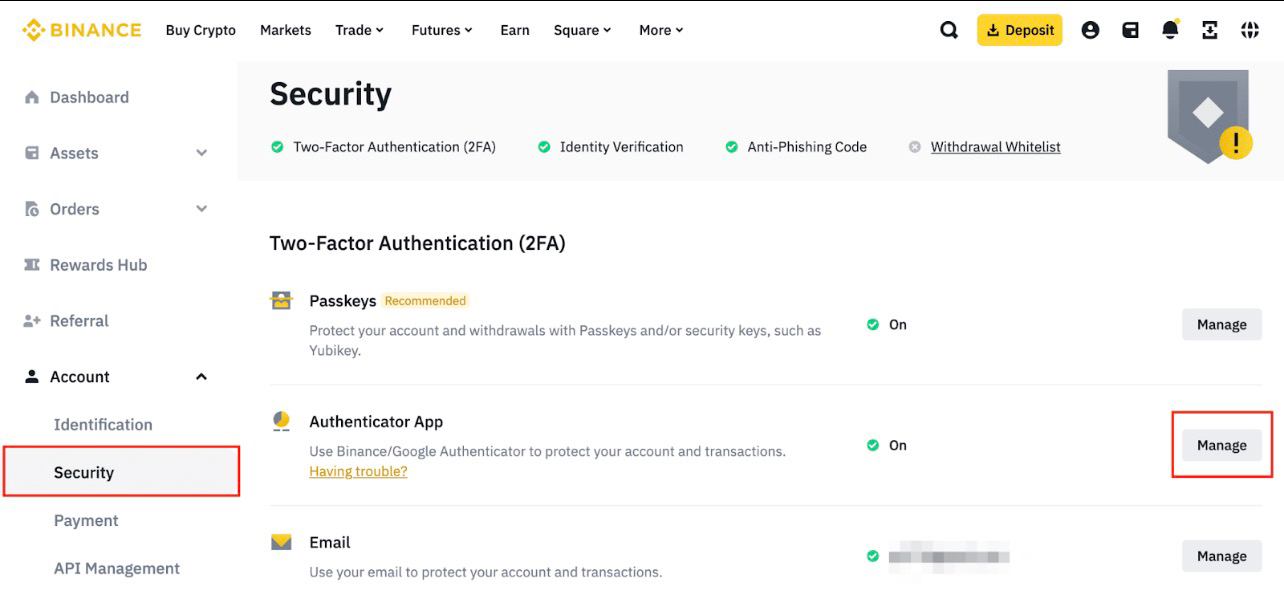
 Security is one of the most important aspects of using any crypto platform. Because digital assets are irreversible once transferred, protecting your account should always be a top priority. Binance provides multiple security layers designed to reduce risks such as phishing, unauthorized logins, and withdrawal attacks.
Below are some of the most important security features on Binance and how users can activate them.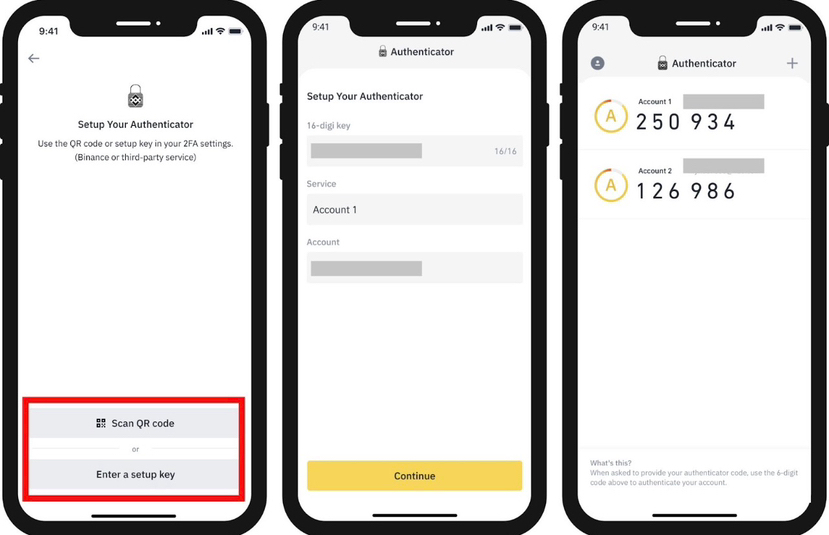
1. Two-Factor Authentication (2FA)
Two-factor authentication adds an extra layer of protection to your account. Even if someone obtains your password, they still cannot log in without the second verification code.
How to enable it:
1. Open your Binance account and go to Security Settings
2. Select Two-Factor Authentication
3. Choose either Google Authenticator or SMS verification
4. Scan the QR code and confirm the generated code
Using an authenticator app is generally considered more secure than SMS verification.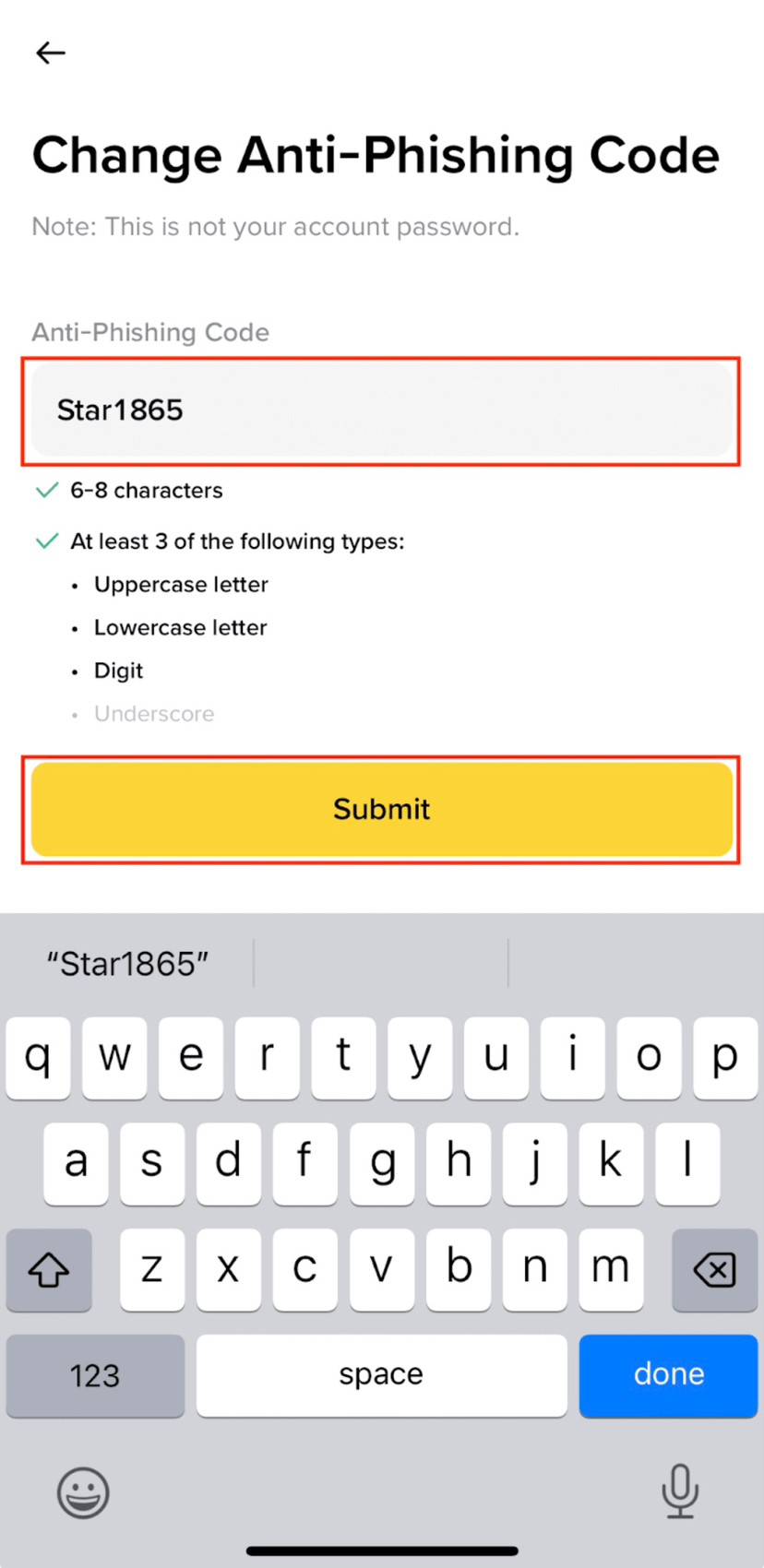
2. Anti-Phishing Code
Phishing emails are one of the most common crypto scams. Binance allows users to set a personal anti-phishing code that appears in all official emails sent from the platform.
How to enable it:
1. Go to Security Settings
2. Click Anti-Phishing Code
3. Create a unique phrase or code
4. Save your settings
Once activated, every legitimate Binance email will include your code, helping you quickly identify fake messages.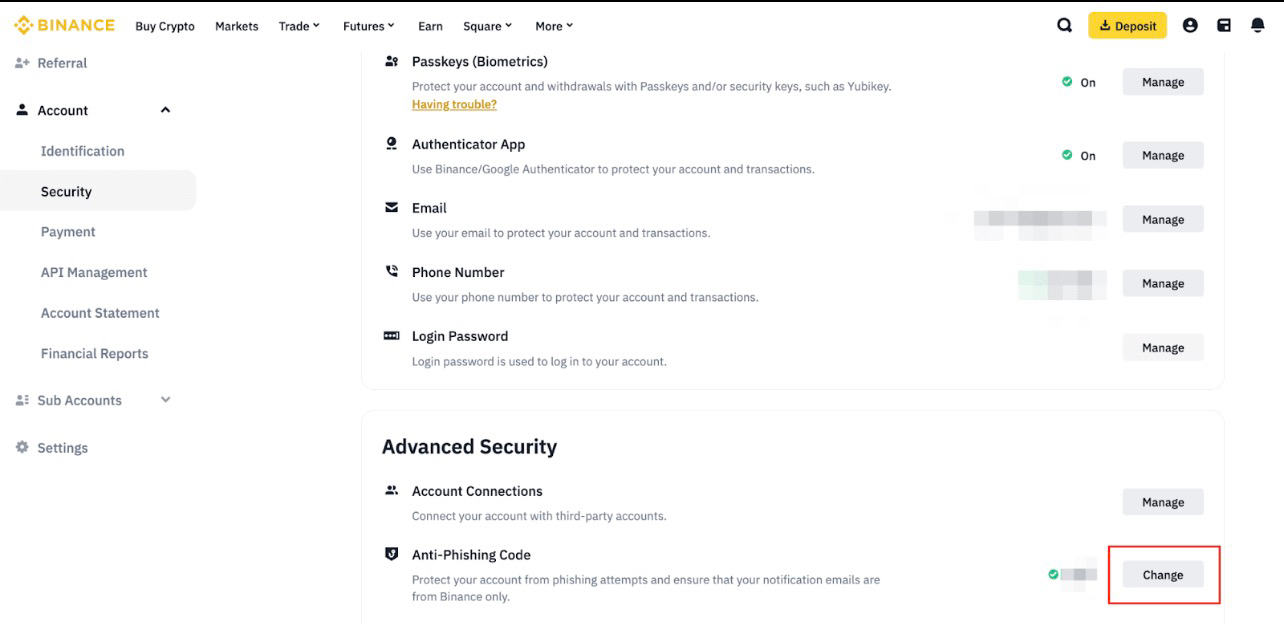
3. Withdrawal Whitelist
This feature allows withdrawals only to pre-approved wallet addresses. Even if someone gains access to your account, they cannot withdraw funds to a new address without authorization.
How to enable it:
1. Go to Security Settings
2. Open Withdrawal Whitelist
3. Add trusted wallet addresses
4. Enable the whitelist function
This is particularly useful for users who regularly send funds to the same wallets.
4. Device and Login Management
Binance allows users to monitor login history and active devices. If a suspicious login appears, users can immediately disable that device.
How to manage devices:
1. Navigate to Security → Device Management
2. Review all active sessions
3. Remove unknown devices
Regularly checking login history is a simple but effective security habit.
Best Practices for Account Protection
Even with strong security features, users should follow basic safety practices:
• Use a strong and unique password
• Never share authentication codes
• Avoid clicking unknown links
• Regularly review account activity
• Enable all available security layers
Conclusion
Crypto security starts with personal responsibility. Binance provides advanced protection tools such as 2FA, anti-phishing codes, withdrawal whitelist, and device management to help users safeguard their accounts.
By activating these features and maintaining good security habits, users can significantly reduce the risk of unauthorized access.
For official security updates and guides, follow @Binance Vietnam and explore more at https://www.binance.com.
