

Phishing attacks never stop, and a new SMS phishing scam has recently surfaced. To keep your assets safe, please read carefully:
How this scam works:
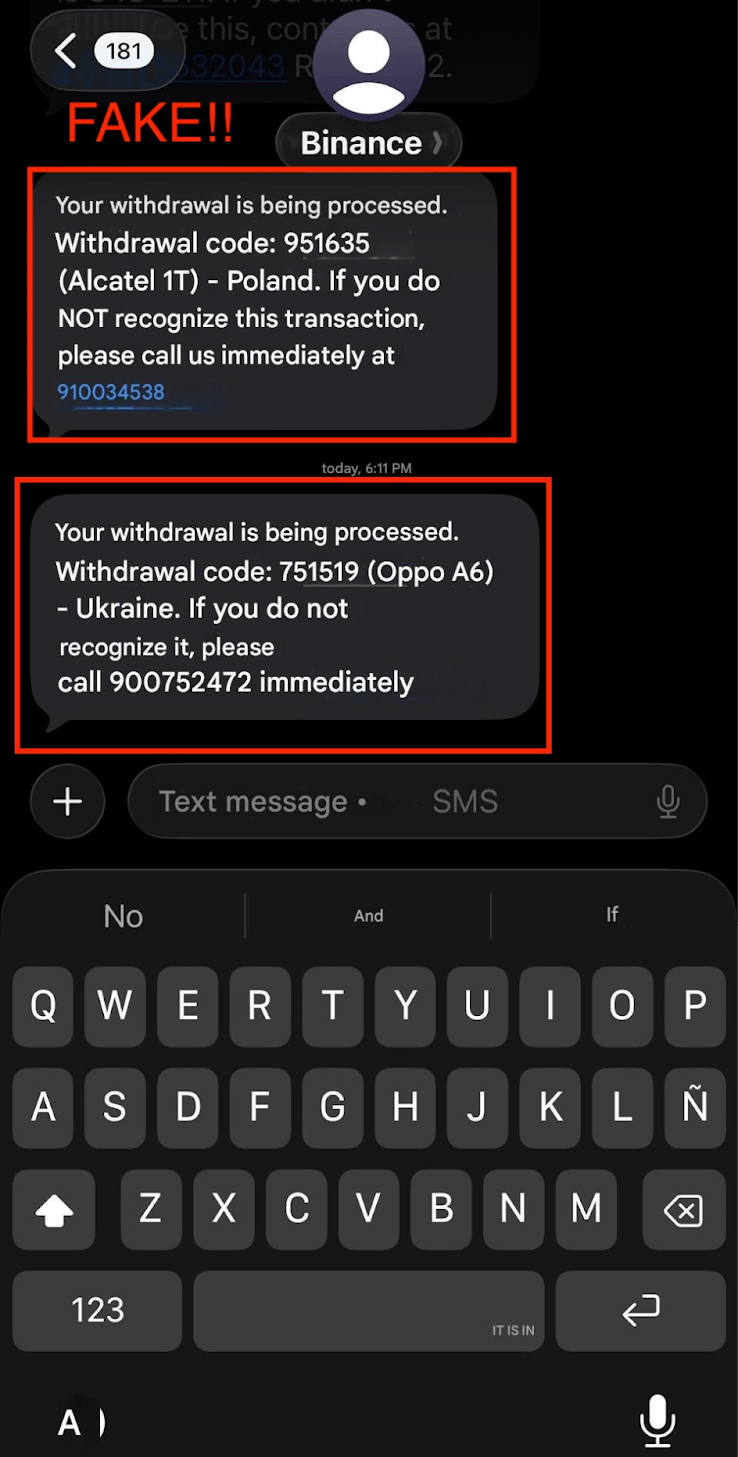
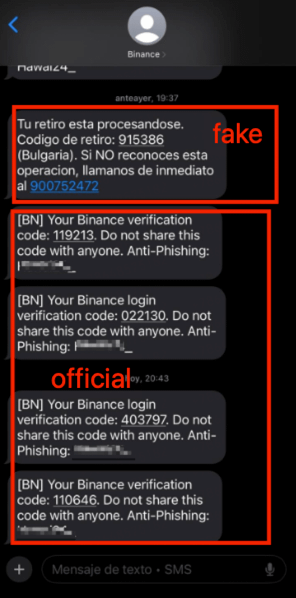
1️⃣ You may receive an SMS appearing to be from "Binance," sometimes mixed in with legitimate notifications, claiming a withdrawal is being processed and urging you to call a provided phone number if you don’t recognize the transaction.
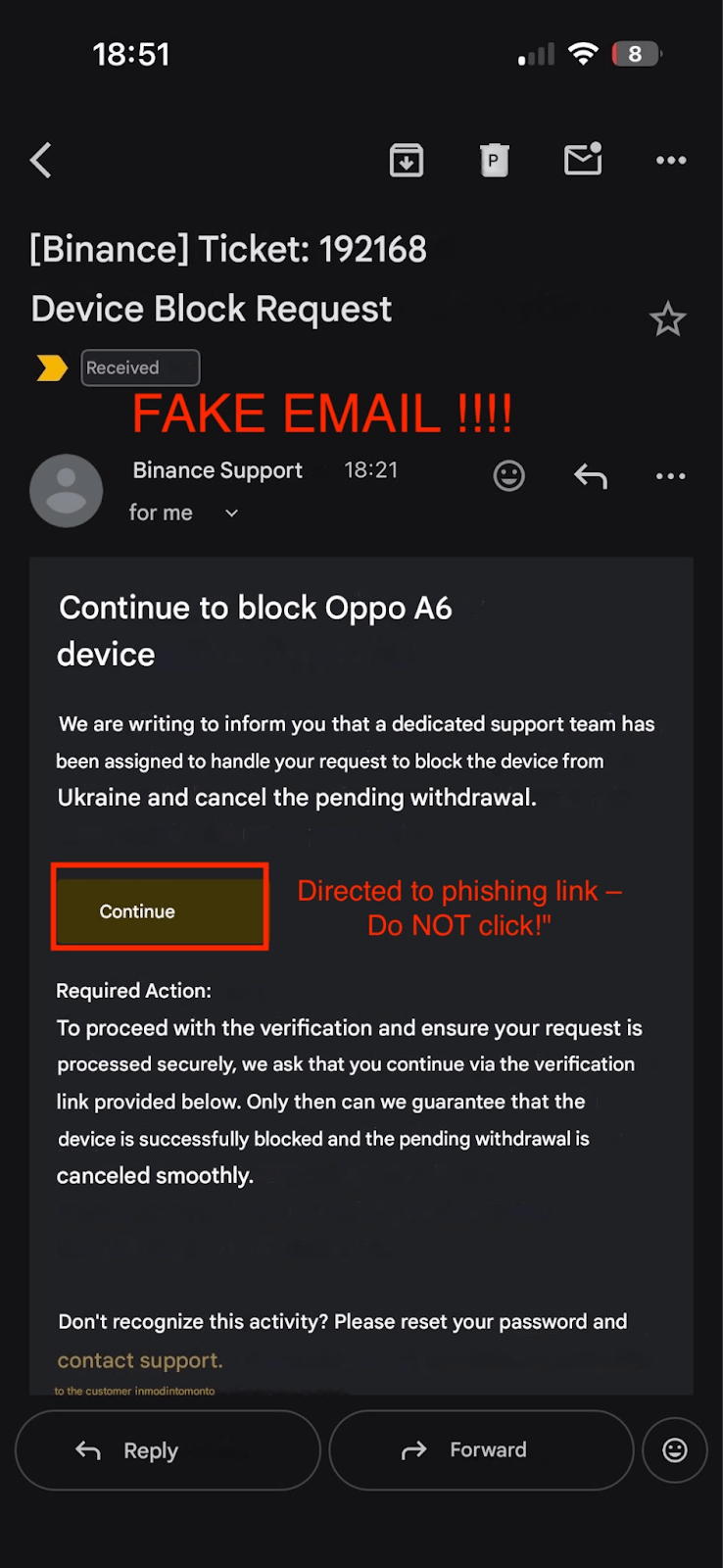
2️⃣ Scammers impersonate Binance Support over the phone and then send emails from suspicious domains convincing you to click a link to "verify" or "cancel" the withdrawal.
3️⃣ Clicking the link risks compromising your account security.
How to protect yourself:
🔐 Binance will NEVER call you first or ask you to call any phone number. Any SMS requesting you to make a call is a major red flag.
🔐 Note that scammers can spoof the sender's name — even if the SMS shows "Binance" as the sender, do not trust it blindly. Always verify the message content and sender authenticity through Binance Verify before taking any action.
🔐 Official Binance communications only come from recognized email domains and trusted channels. Be cautious with unexpected messages and avoid clicking links from unverified senders.
🔐 Contact Binance Support exclusively through the official website (binance.com) or official app. Avoid responding to unsolicited calls, SMS, WhatsApp, Telegram, or random emails claiming to be Binance.
🔐 If you have set up an anti-phishing code in your Binance account, official Binance emails and SMS will always include this code. If you don’t see your personal anti-phishing code, be suspicious of the message’s authenticity.
Staying vigilant and cautious is your best defense. Binance remains fully committed to your security.
 For more safety tips, check out our official blogs:
Web3 Security: Preventing SMS Spoofing Attacks
Gone Phishing: Don’t Let Scammers Hook Your Binance Account
Today’s Catch: Anti-Phishing Codes and How to Protect Yourself