This Page is for general information and educational purposes only. It does not constitute legal terms or any form of legal agreement between you and Binance. It should not be construed as financial, legal or other professional advice. The information on this page may be outdated. For legal terms applicable to Spot Trading Services, please refer to the Terms of Use, the Exchange Rules and the Clearing Rules. Additional terms and conditions will also be set out in the Spot Copy Trading Services Terms (as applicable to Spot Copy Trading Services).
Disclaimer: In compliance with MiCA requirements, unauthorized stablecoins are subject to certain restrictions for EEA users. For more information, please click here.
Binance’s stop market order is designed to function similarly to a stop limit order by incorporating slippage tolerance. This feature sets a limit on the acceptable price range once the stop price is triggered, helping users prevent unintended trades due to sudden or unfavorable price fluctuations. By using this mechanism, Binance provides users with greater control over execution prices, minimizing the risk of orders being filled at excessively adverse prices and offering a safer, more precise way to manage stop orders.
When placing a stop market order, users need to set a slippage tolerance, which defines the maximum percentage difference they are willing to accept between the execution price and their target price. This is managed in the background by a stop limit order. After the order is triggered, it is submitted with the specified slippage tolerance and can be filled either completely or partially. Any unfilled portion will remain open as a limit maker order.
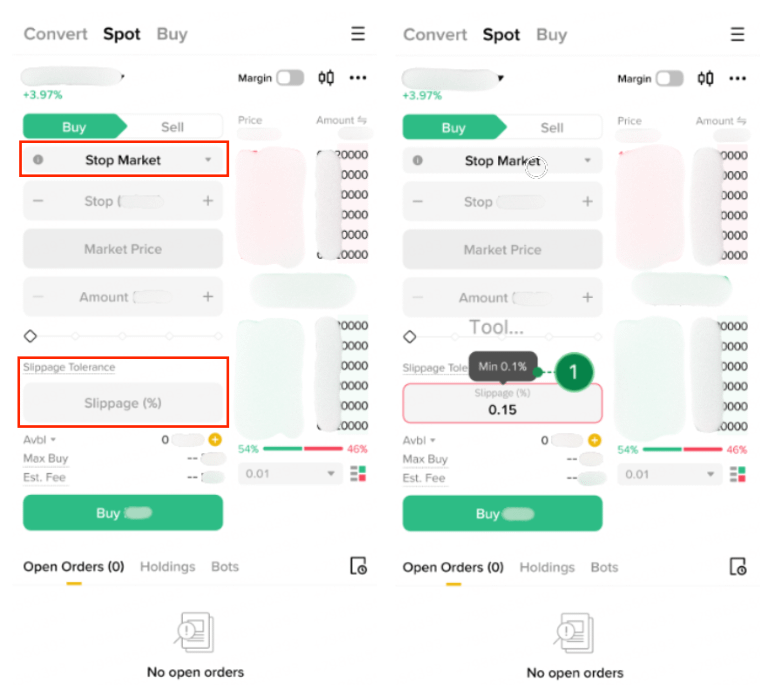
You can go to [Trade] - [Spot], and select [Stop Market] from the order type drop down menu. Enter your preferred slippage tolerance value (which can range from 0.1% - 5%). Once your stop market order is placed, you can find its details in the “Open Orders” tab on the trading page.
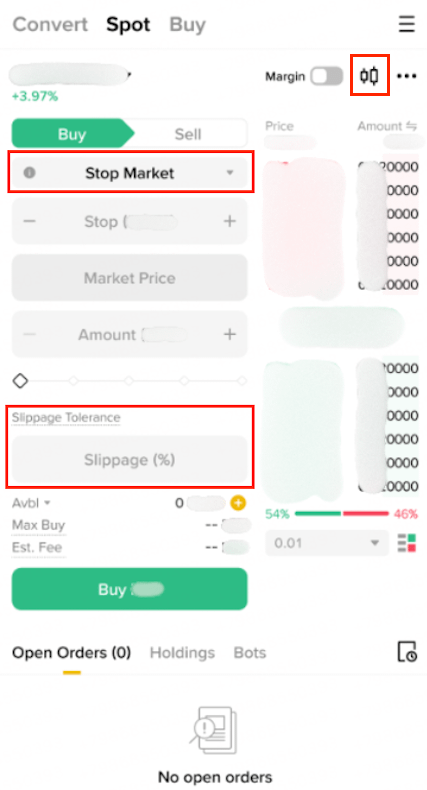
1. To display the stop market order(s) placed on the candlestick chart, go to [Trade] - [Spot], and tap the [Candlestick Chart] icon.
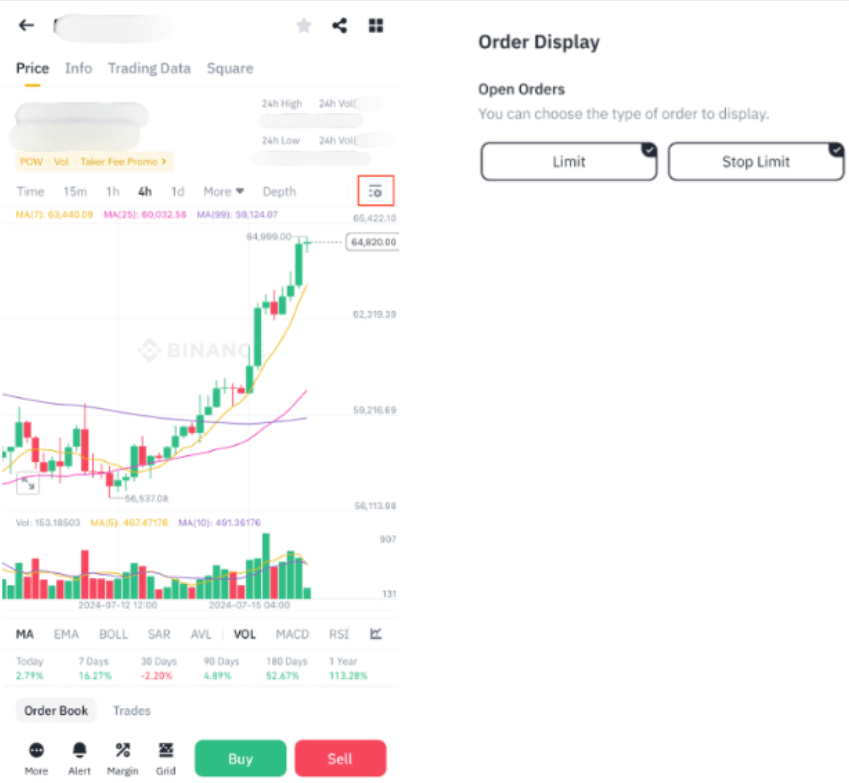
2. Tap the [Chart Settings] - [Stop Limit] . Since stop market orders with slippage tolerance are handled in the background as stop limit orders, they will be listed under the Stop Limit section.
Stop market orders can also be placed using the API.
Please note:
For further details, please refer to the Binance Public WebSocket API documentation.
To learn more about Binance spot trading, visit the Spot Trading FAQs page.
