Disclaimer: This FAQ Page is for general information and educational purposes only. It does not constitute legal terms or any form of legal agreement between you and Binance. It should not be construed as financial, legal or other professional advice. The information on this page may be outdated. For legal terms applicable to Futures and Options Trading Services, please refer to the Terms of Use, the Exchange Rules (including the Exchange Procedures) and the Clearing Rules (including the Clearing Procedures) which come into effect on 5 January 2026. Additional terms and conditions will also be set out in the Contract Specifications applicable to the relevant Derivatives contract.
You can easily switch between the Single-Asset Mode and the Multi-Assets Mode without closing your existing positions. Please note that the Multi-Assets Mode only supports Cross Margin Mode. If you have open positions in the Isolated Mode, you need to switch all open positions to the Cross Margin Mode before enabling the Multi-Assets Mode.
Please note that the Multi-Assets Mode only applies to USDⓈ-M Futures.
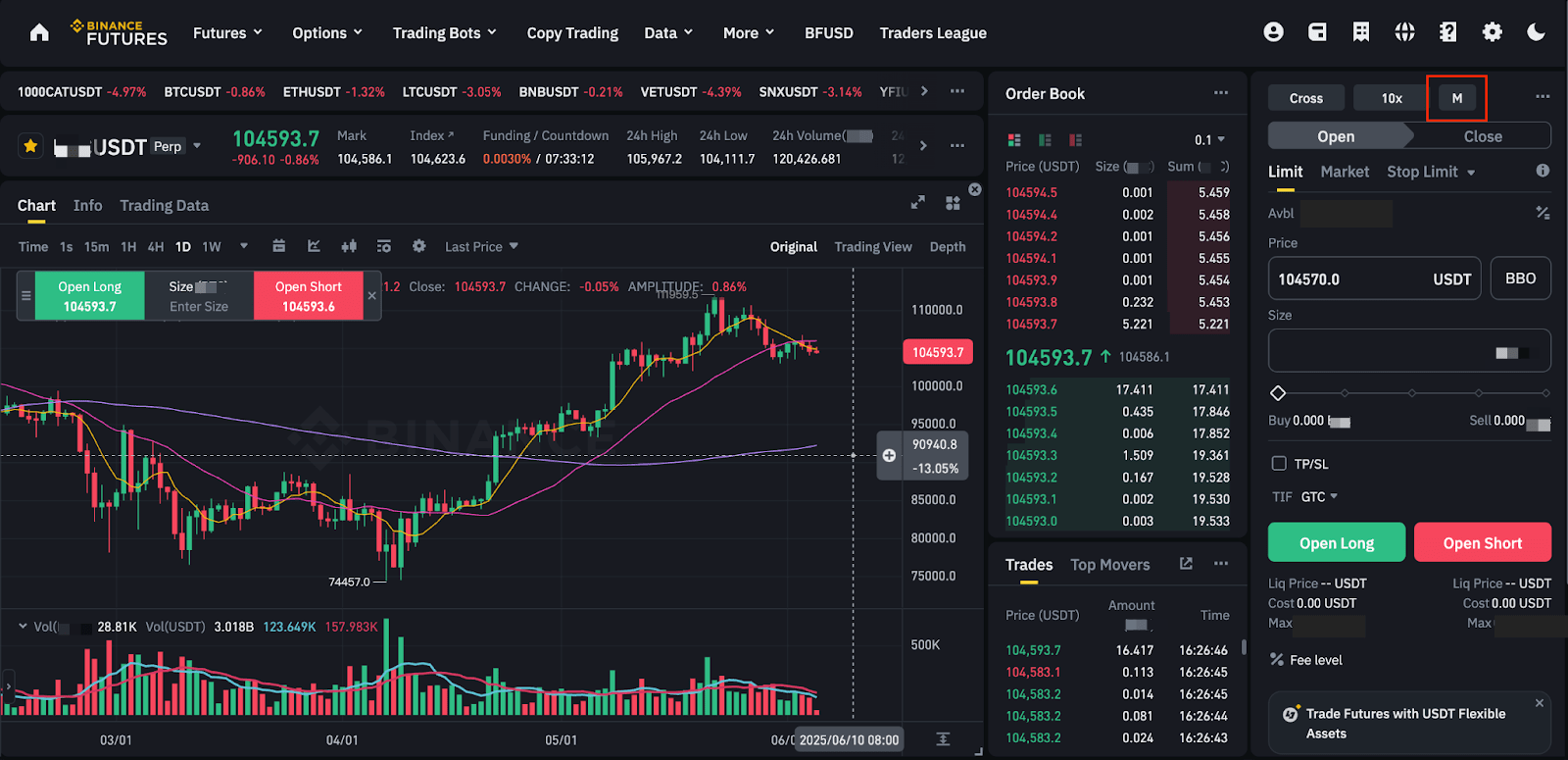
1. Log in to your Binance account and click [Futures] - [USDⓈ-M Futures]. Click [M] on the top right.
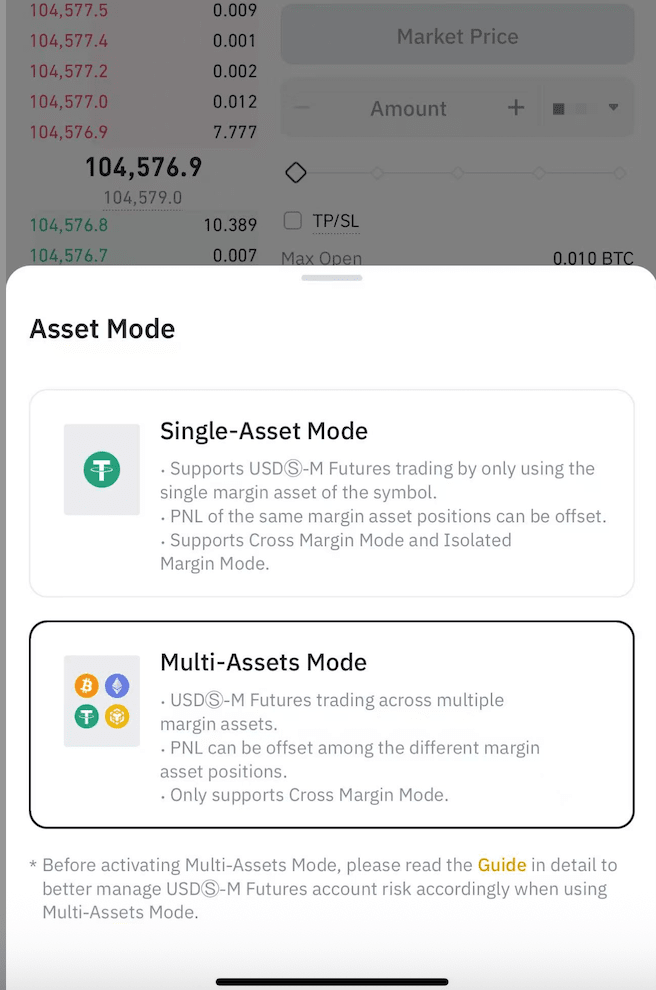
2. Choose [Single-Asset Mode] or [Multi-Assets Mode].

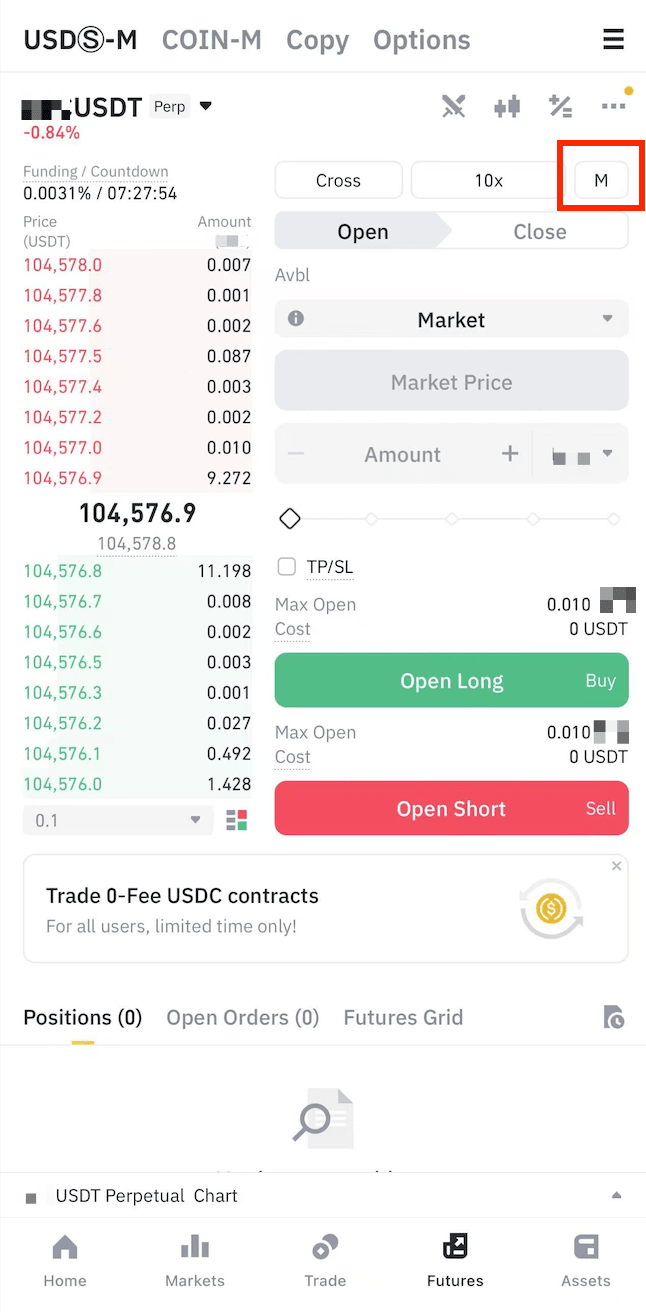
1. Log in to your Binance App and go to [Futures] - [USDⓈ-M]. Tap [M].
2. Select [Single-Asset Mode] or [Multi-Assets Mode].