Disclaimer: In compliance with MiCA requirements, unauthorized stablecoins are subject to certain restrictions for EEA users. For more information, please click here.
Smart Money is a Binance Futures tracker that allows users to discover and follow top-performing traders and traders to showcase their real-time trading performance. Users can subscribe to traders' live accounts, view profits (PNL), returns (ROI), and check current and historical positions. When traders enable live trading, their accounts are publicly ranked, and shared positions are visible to others. The system syncs follower relationships into live trading subscriptions, simplifying tracking of favorite traders. Features like customized preferences, privacy controls, and push notifications provide users with a clear view of successful traders, enabling learning and real-time following.
You can use Smart Money in 2 ways:
You can access the following functions:
You can follow multiple traders and track their trading actions through alerts:
Currently, you can add up to 3 sub-accounts in your profile.
Based on the sorting method selected, top 100 users who agreed to share positions under Binance Futures leaderboard are shown. Otherwise, you can search by name to access a particular trader’s performance.
No.
Yes, Smart Money profiles with portfolios available for copy trading will have a separate tab that redirects users to lead portfolios. We will add direct access to copy trading in later versions.
There is no limit on how many traders you can subscribe to.
All data since registering for a Binance Futures Account will be available, excluding trading bots and copy trading.
Top trader rankings are updated hourly. Days active, MDD and win rate are updated daily. Other performance data is updated timely with around 20-minute latency.
For new Futures accounts: If you just opened your Futures account, please allow 1–2 days for your initial data to appear.
For existing Futures accounts: If your account has been active for more than 2 days, your data is updated in near real-time, with a delay of approximately 20 minutes.
Smart Money is the enhanced version of the Futures Leaderboard. The Futures Leaderboard will be discontinued in later versions. You can still follow traders previously featured on the Futures Leaderboard through the [Top Trader] section within Smart Money.
Maximum Drawdown (MDD) refers to the maximum observed loss in net asset value from a highest point (a peak) to the lowest point that occurs after it during a specific period. The higher the MDD, the higher the risk.
Note: MDD can only measure the size of the largest loss a portfolio has experienced, but it doesn’t consider the frequency of large losses, indicate how long it takes for the portfolio to recover from a loss, or indicate whether the portfolio has already recovered.
Formula
MDD = (Current ROI - Historical Peak ROI) / (1 + Historical Peak ROI)
Note:
When the current MDD is lower than historical max MDD (i.e., a greater loss), MDD will be updated;
When the current ROI is higher than the historical peak ROI, the historical peak ROI will be updated to the current ROI.
Example
Time | Day 1 | Day 2 | Day 3 | Day 4 | Day 5 | Day 6 | Day 7 | Day 8 |
ROI | 0% | 10% | 20% | 30% | 20% | 10% | 0% | 10% |
Win Rate = Number of Profitable Closed Positions / Total Number of Positions * 100%
Note:
When a position is completely closed after the order is executed, it counts as a single closed position.
If the order is partially closed, it doesn't count as a closed position.
PNL = Closing Account Balance (inc. Unrealized PNL) - Opening Account Balance (inc. Unrealized PNL) + Withdrawal in the Selected Time Interval - Deposit During the Selected Time Interval - Commission Income in the Selected Time Interval - Other Net Cash Income in the Selected Time Interval
USD Yield:
ROI (old) = Total PNL in the Selected Time Interval / (Opening Account Balance (inc. Unrealized PNL) + Sum of the Deposit in the Selected Time Interval)
ROI (new) = [PnL / Maxbasebalance]
Note: Starting from 2025-12-04, all ROI displayed on smart money will be refreshed based on the new calculation method.
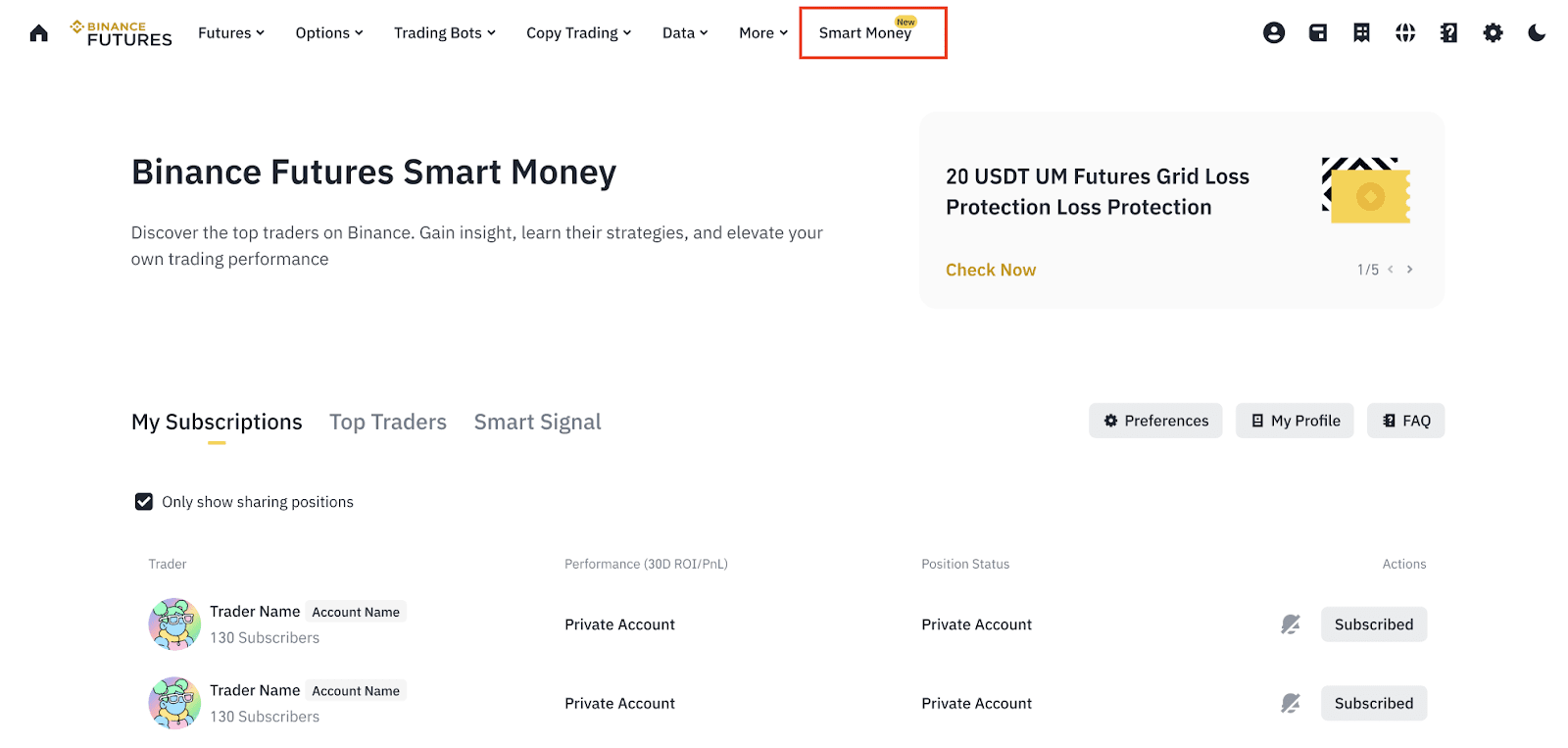
Login to your Binance account, visit [Futures] - [Smart Money].
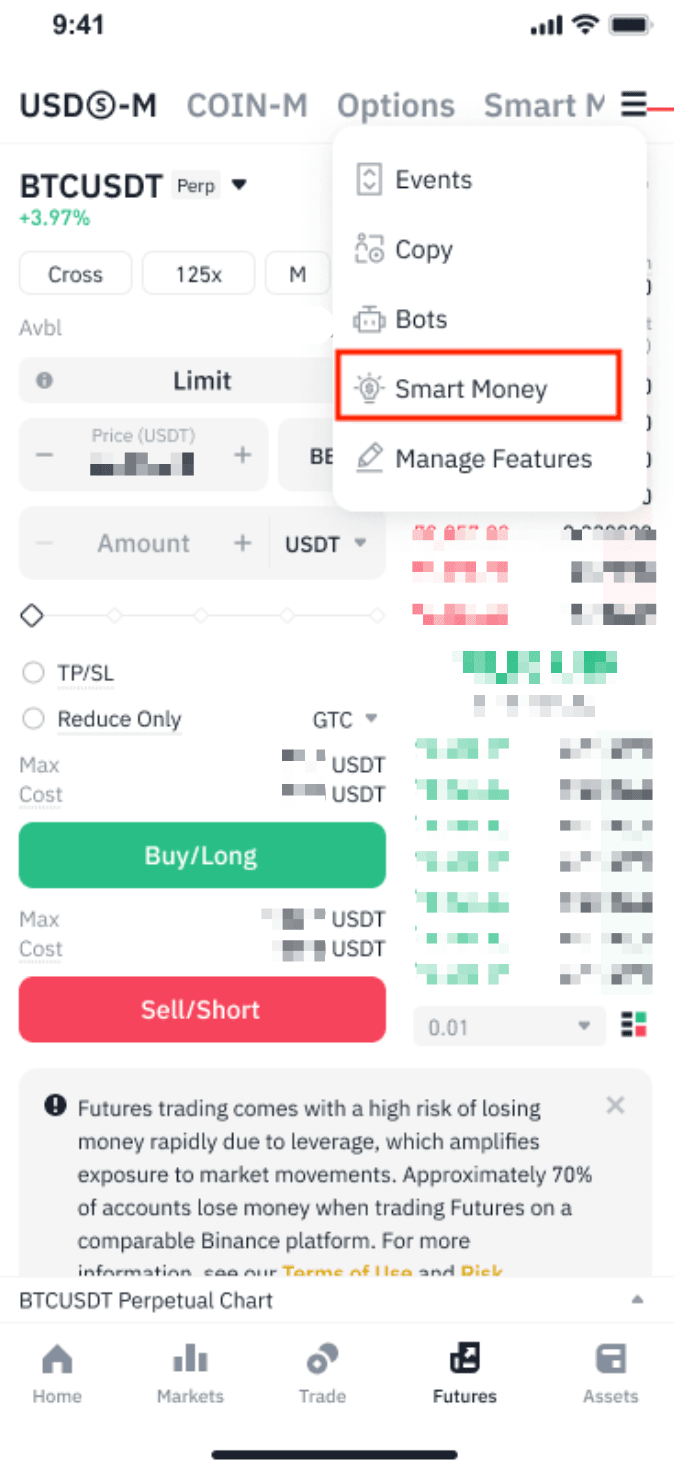
Login to your Binance app, visit [Futures] - [More] - [Smart Money].
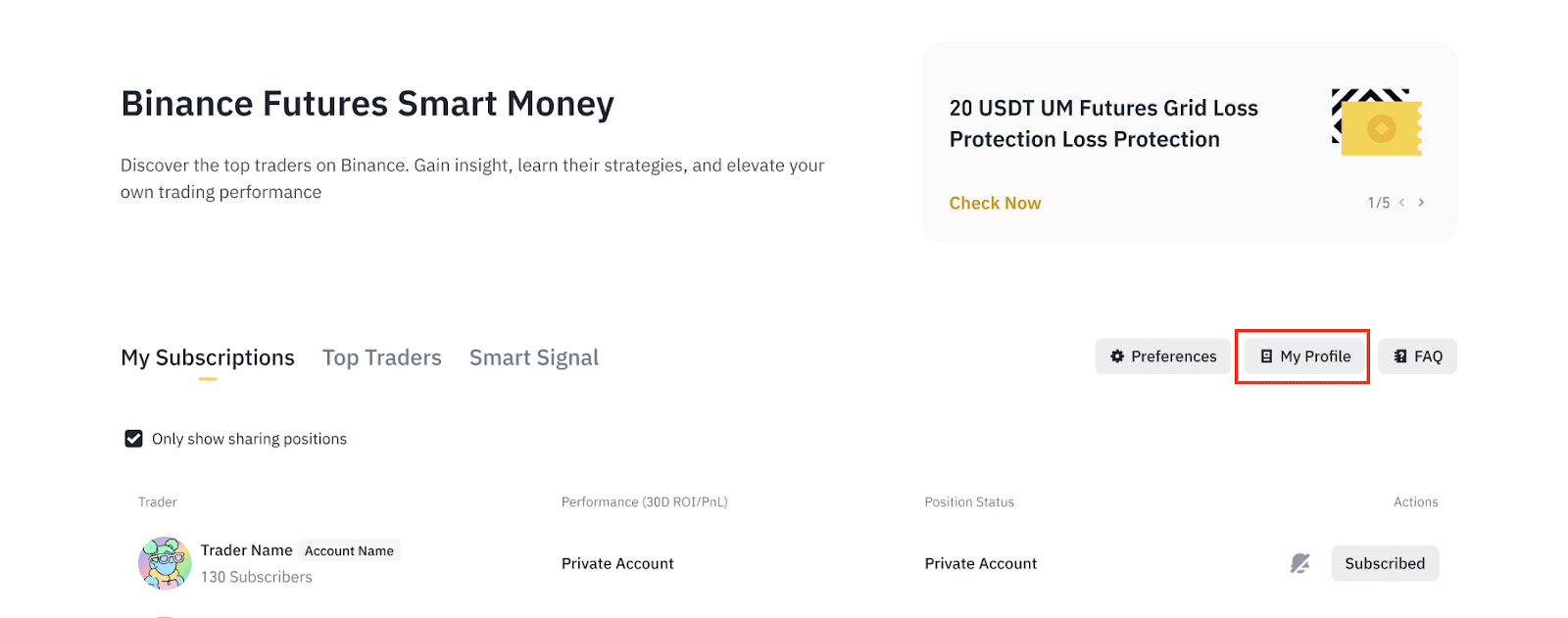
1. Tap [My Profile] to access detailed metrics on your Futures trading performance as shown below:
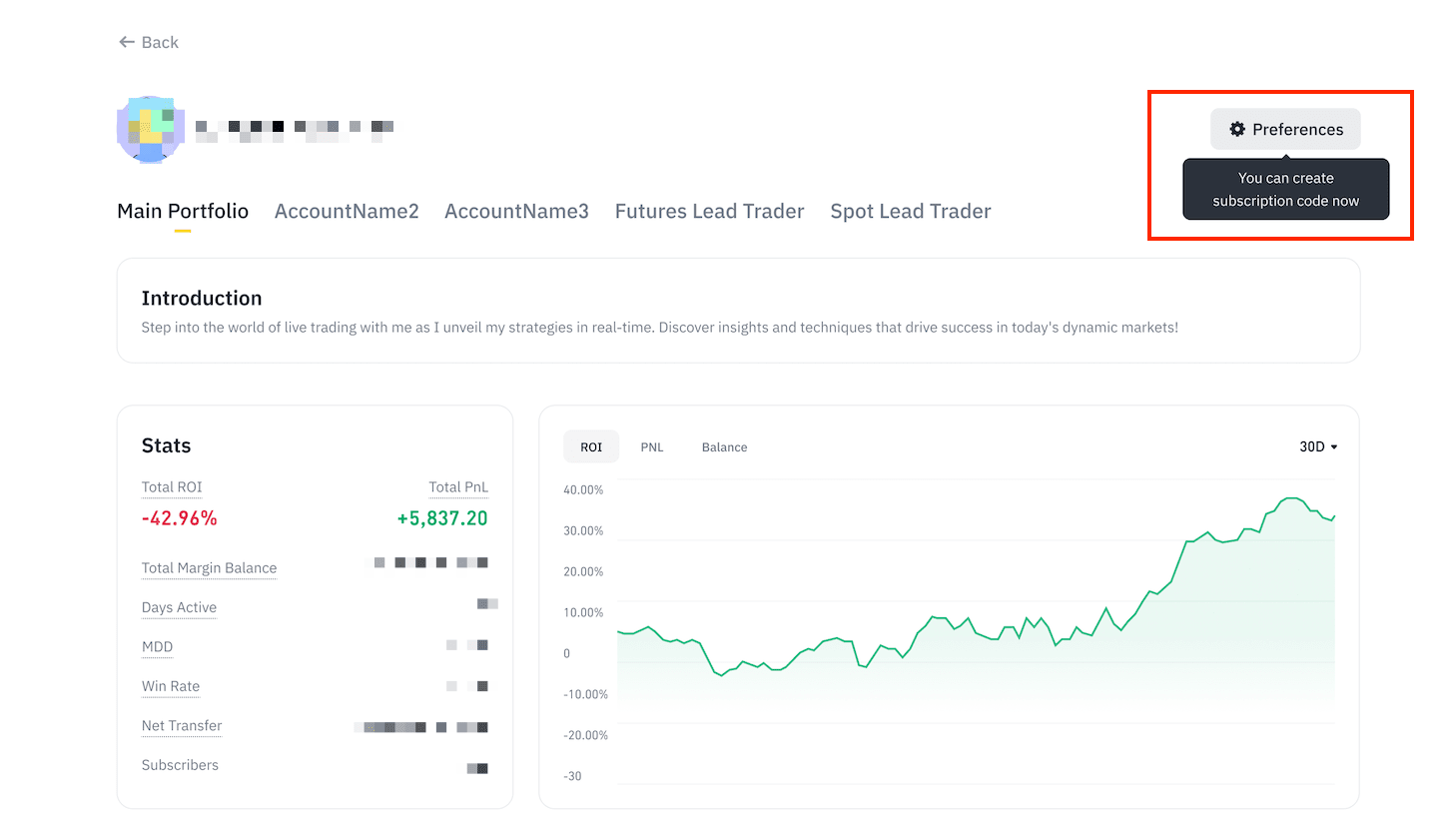
2. Select [Preferences] to adjust your settings.
3. Add sub-accounts: Each sub-account will have a separate profile under your main profile page.
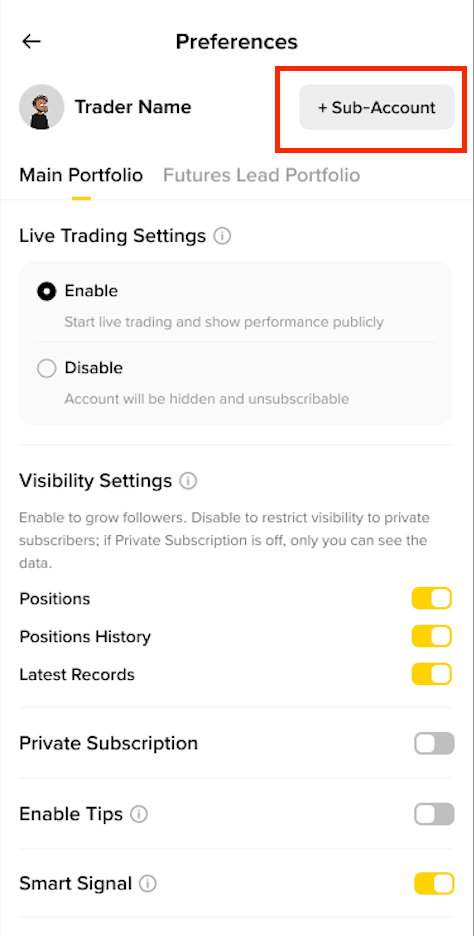
4. Live Trading: Enable or disable live trading to show or hide your trading performance (PNL, ROI, balance) and current and historical positions.
Please note: Traders who enabled live trading can view all their data across all time frames. If live trading is disabled, only the 24h/3d/7d/30d/90d data of the performance chart will be visible.
5. Visibility Settings:
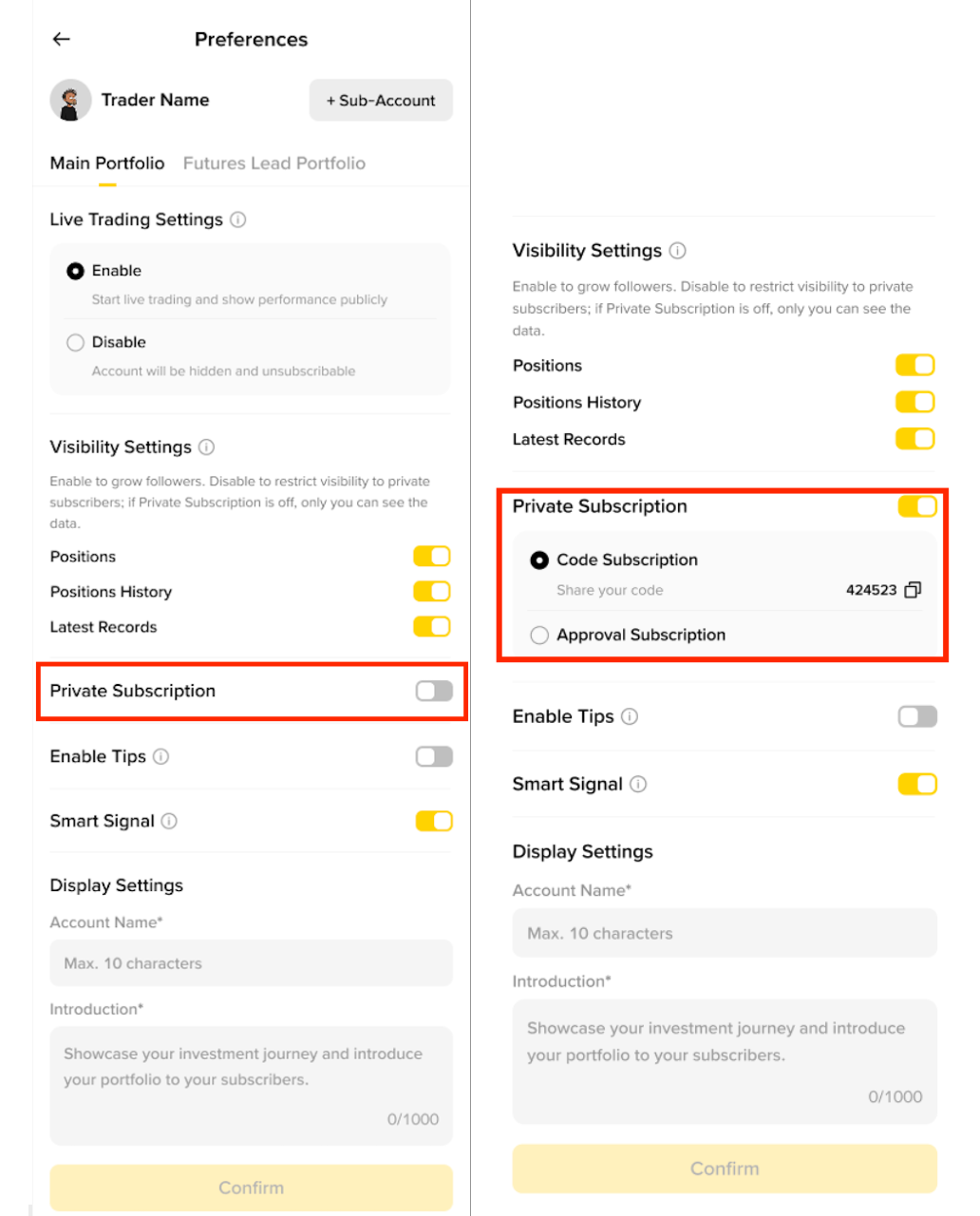
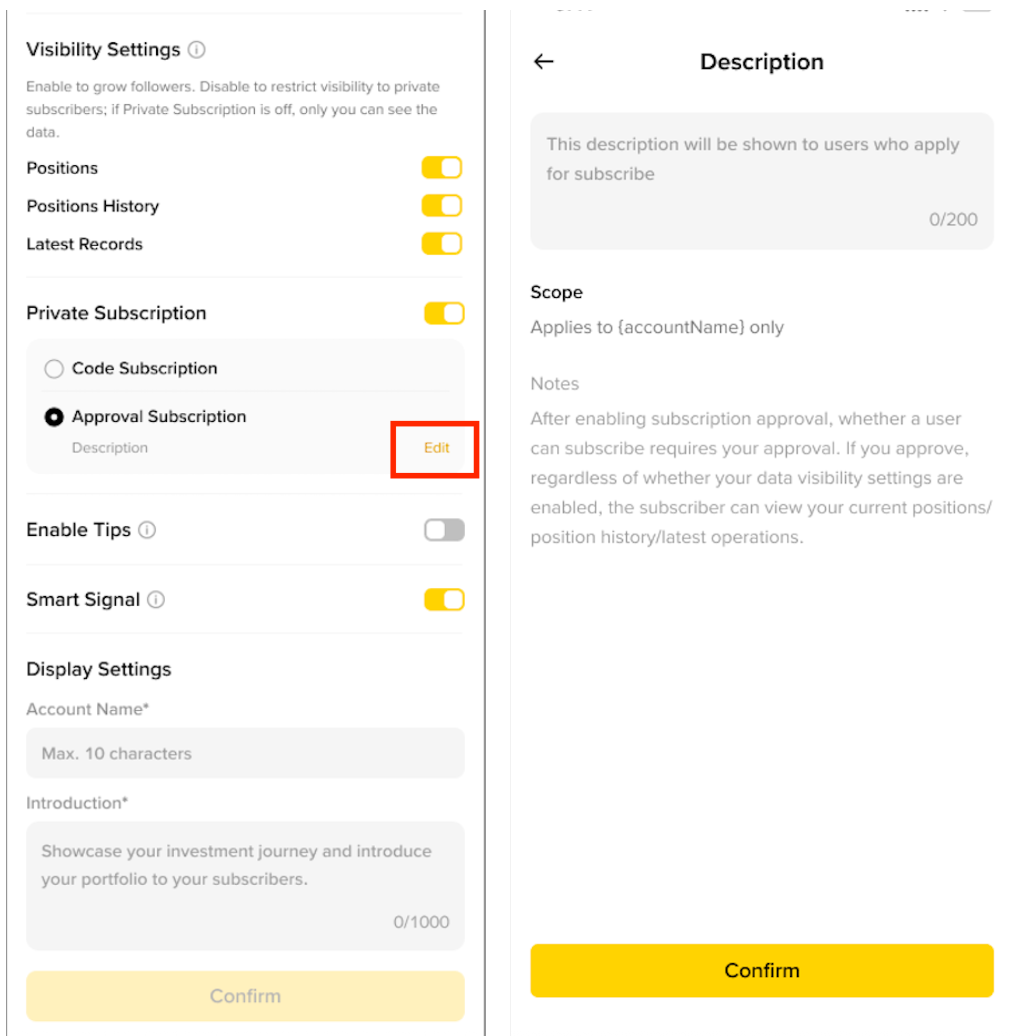
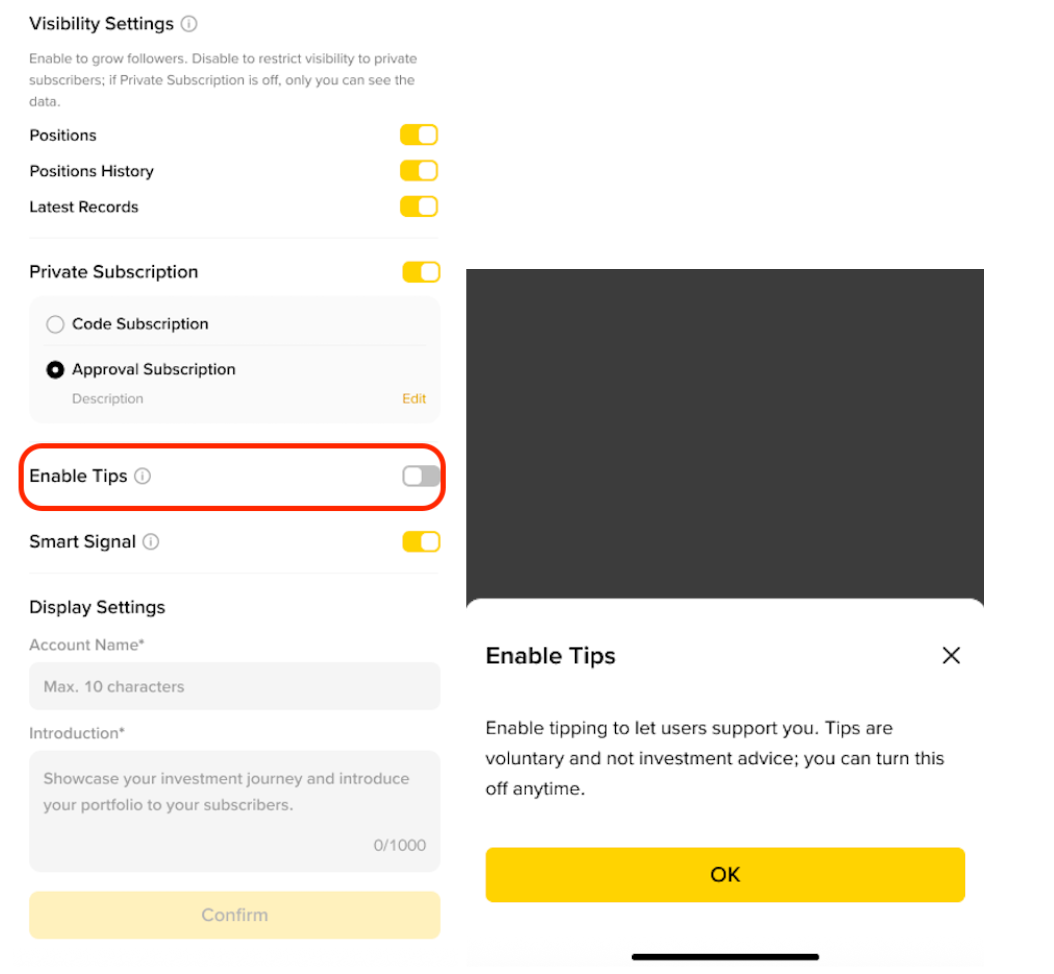
Please note this function may not be available to certain regions.
Please read the acknowledge before you start using this feature:
By enabling the Tipping function to receive Tips (“Receiving Traders”), or by sending a Tip to a trader (“Sending Traders”), you acknowledge that:
Sending Traders send Tips on an entirely voluntary basis, with no obligation on the part of the Receiving Trader.
Tips are non-refundable in all circumstances. Sending Traders are solely responsible for their decisions to Tip and Binance is not liable for any losses incurred by Sending Traders.
Receiving Traders are under no obligation to take any action as a result of receiving Tips (including, but not limited to, permitting a Sending Trader to subscribe to their portfolio).
Using Smart Money should not be construed as financial advice and Tipping is not consideration for financial advice. Sending Traders are solely responsible for their investment decisions.
6. Display Settings: Customize the account name and description for each sub-account.

1. View top traders on Smart Money:
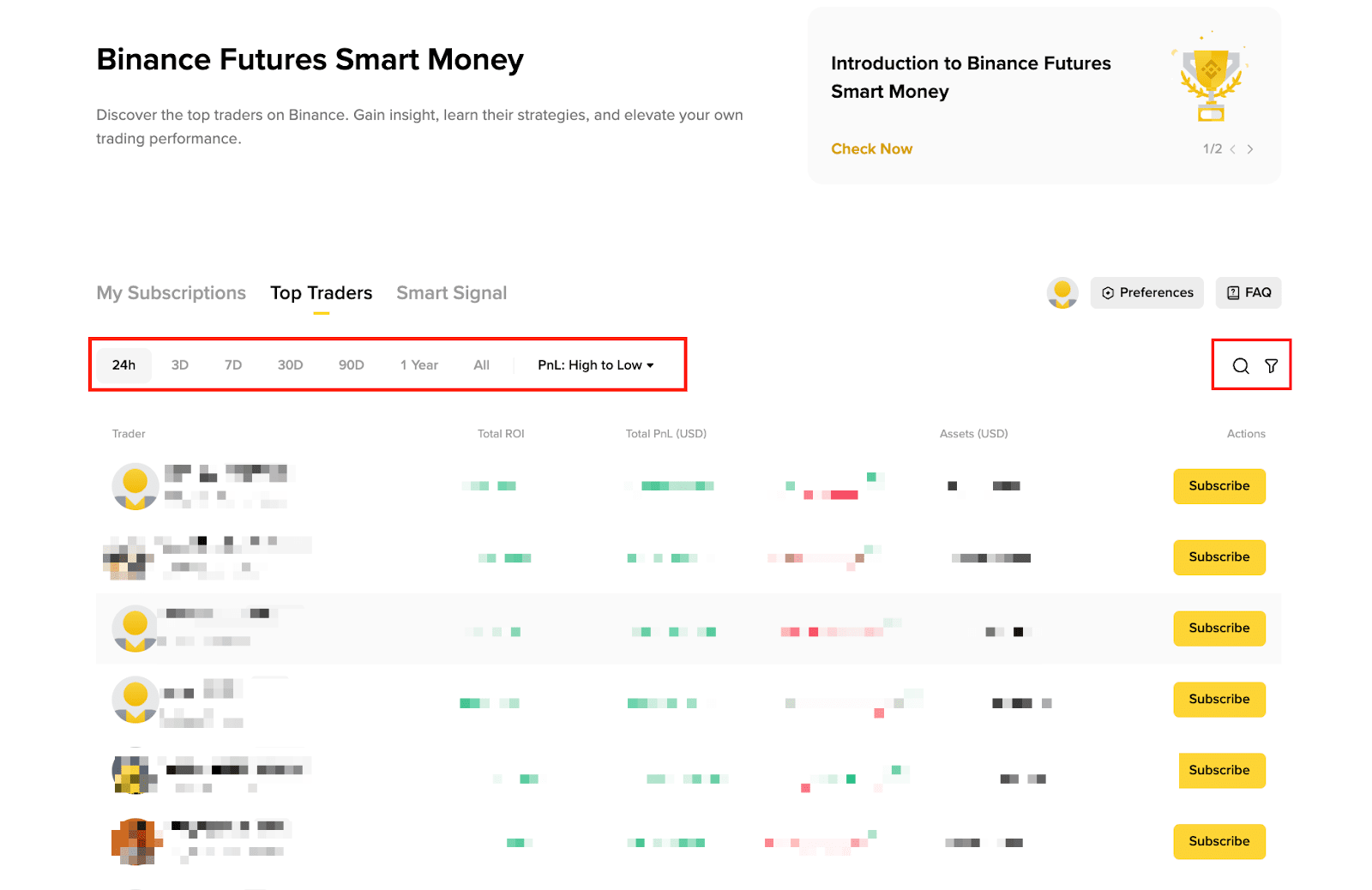
2. Click on the trader’s name to view their profile, performance data, and positions. You may also filter for USDⓈ-M or COIN-M positions.
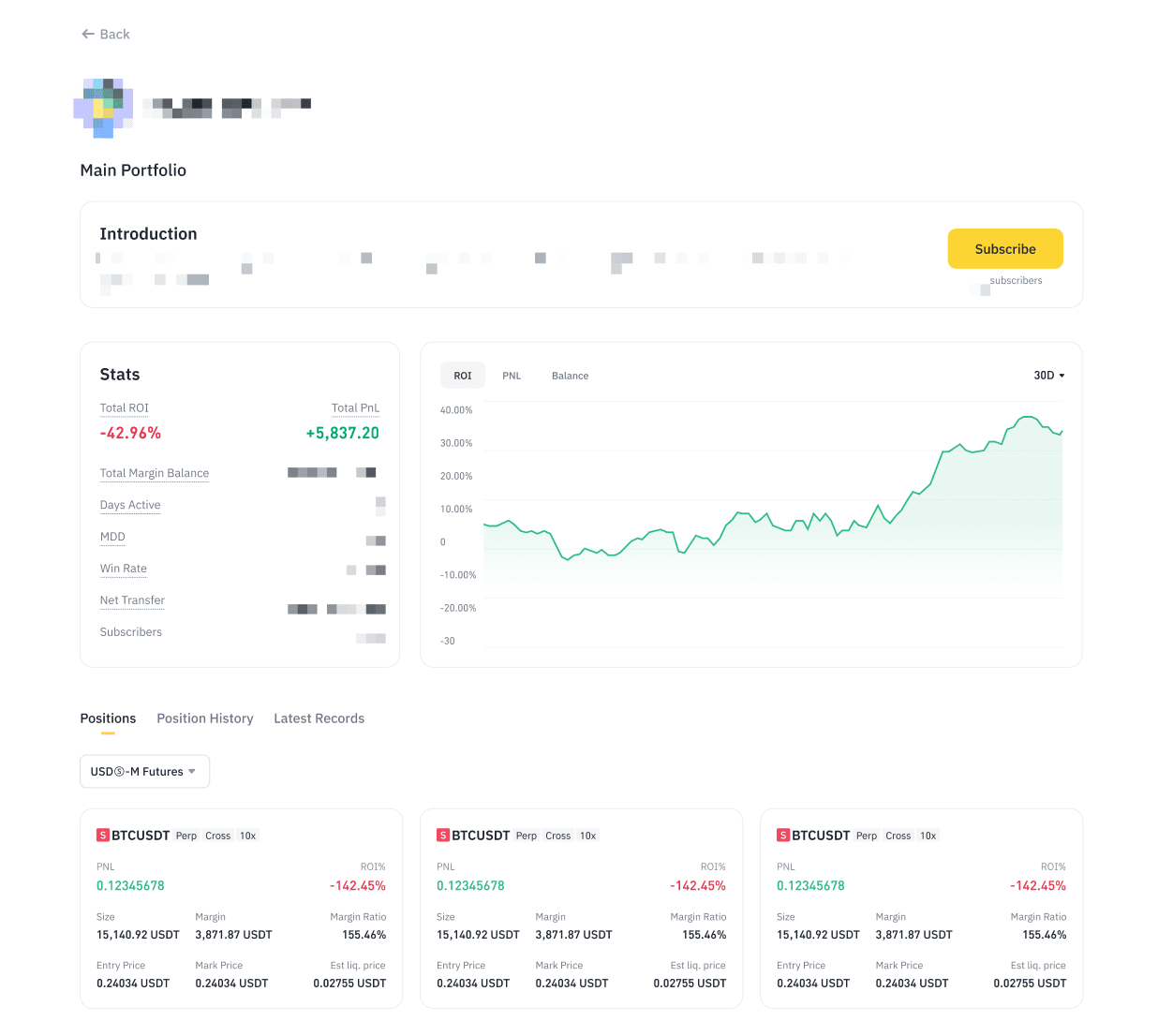
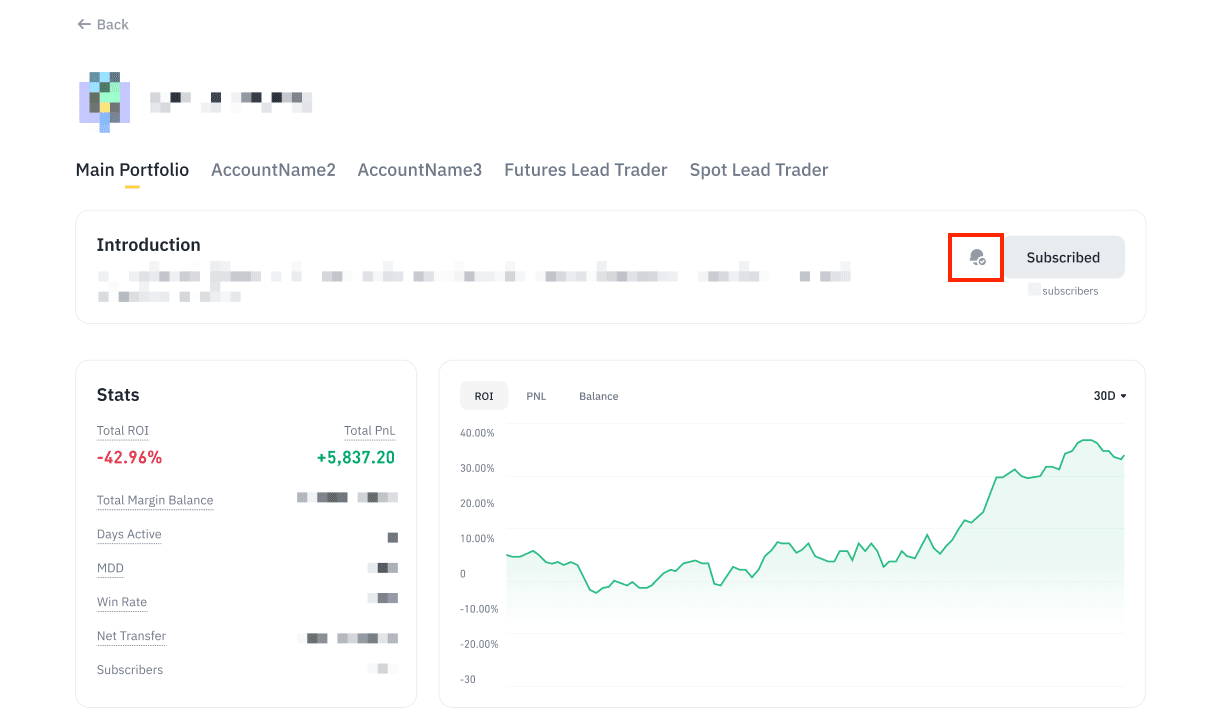
3. Click on [Subscribe] to follow a trader’s performance. Clicking on the bell button will allow you to receive app push notifications when on the traders’ actions. Traders may enable [Private Subscription] which only allows the invited or approved users to subscribe.
Please note:
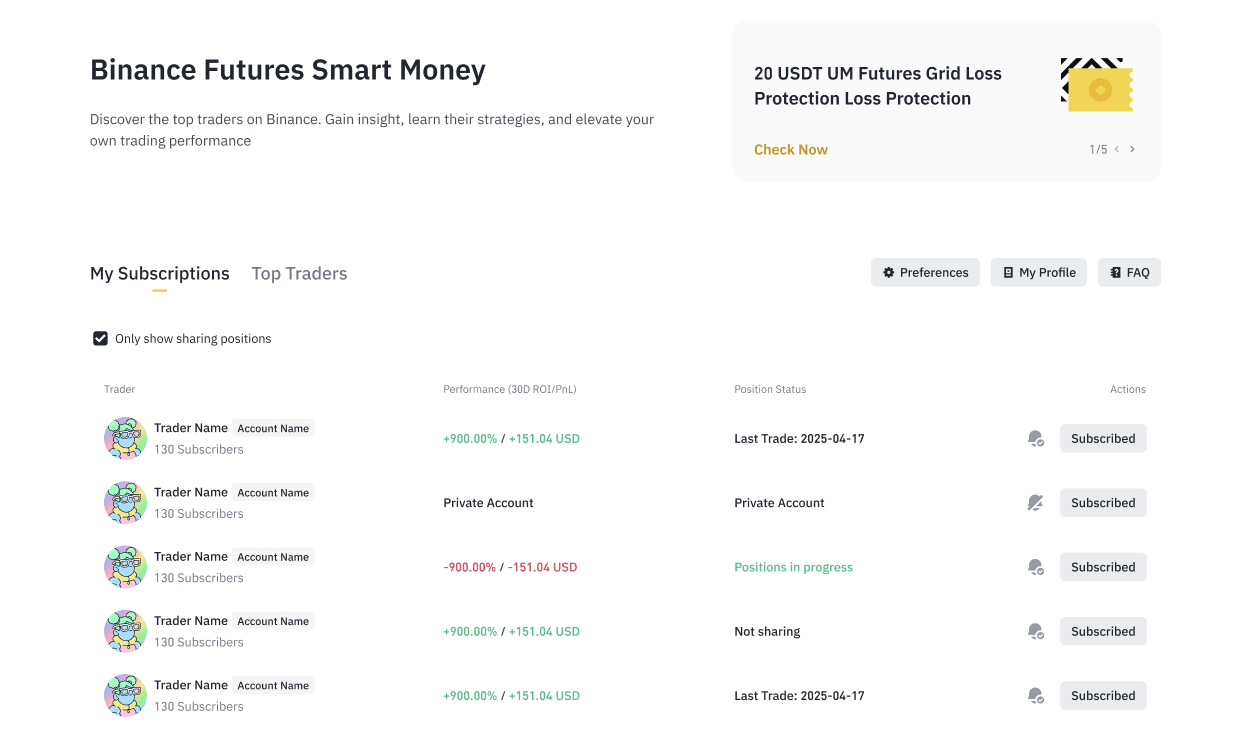
4. View all your subscribed traders under [My Subscriptions]. Manage your subscribed traders by enabling or disabling receiving notifications or removing traders on your subscriptions list.
5. When the trader has enabled the [Tipping] function, click [Tip] on the left bottom to support the trader.
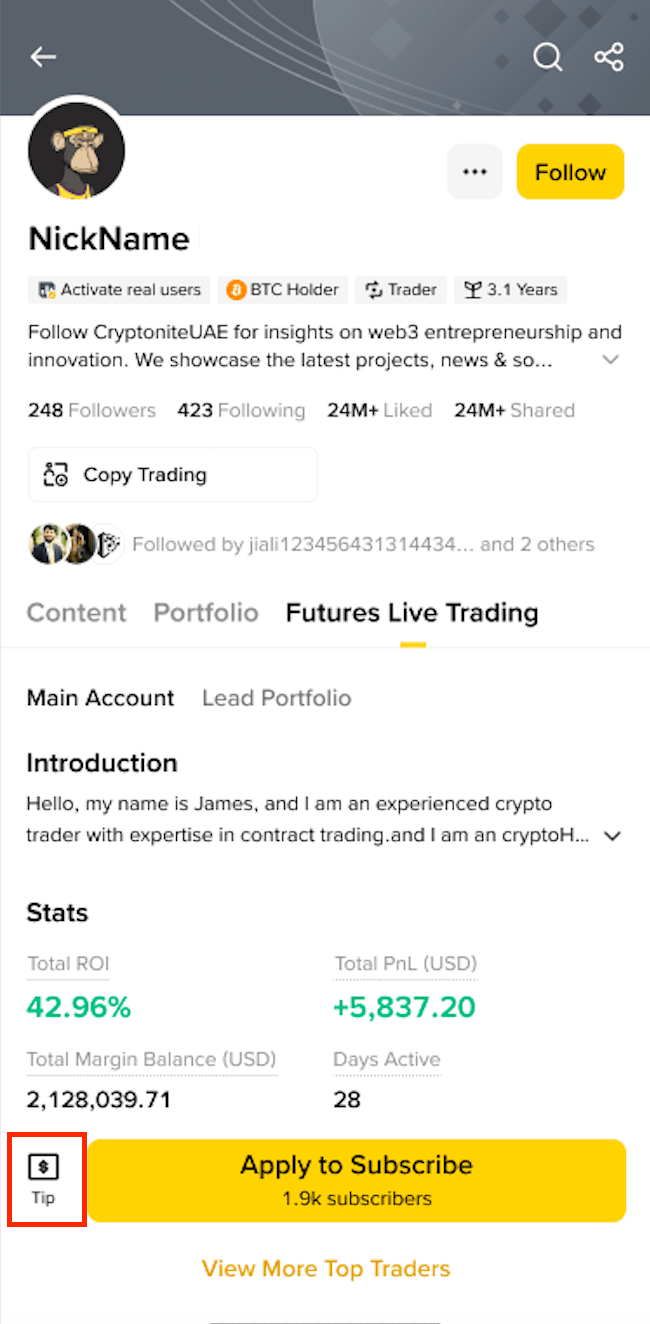
You can tip the amount between 0.1USD to 1000USD equivalent amount.
After agree the service agreement, you can continue the Tipping. Please note this feature may not be available in some certain regions.
