Binance Alpha Withdrawal lets you withdraw supported Alpha tokens from your Alpha Account to external wallet addresses.
1. Log into your Binance app and go to [Assets] - [Alpha], select [Withdraw].
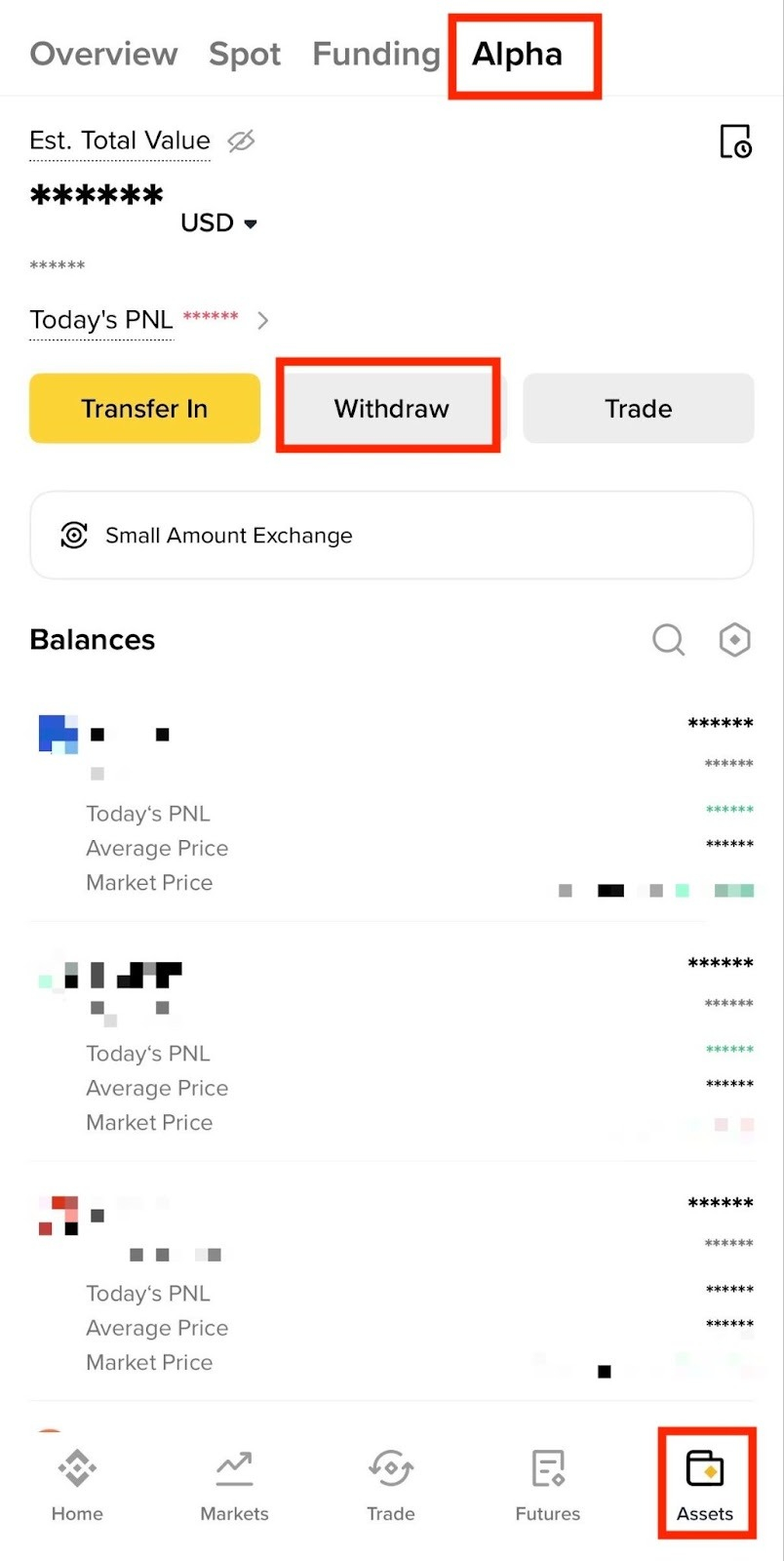
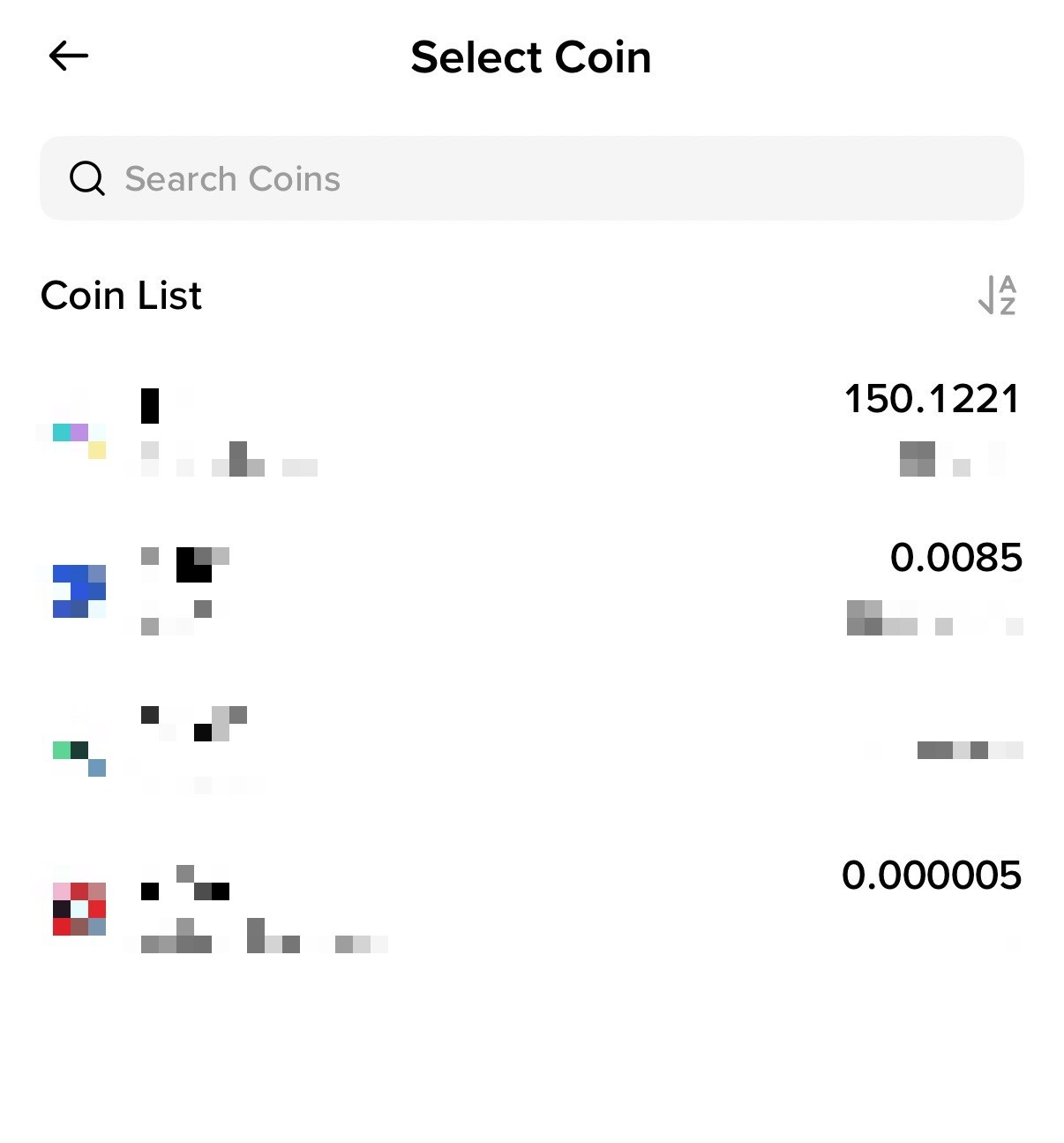
2. Choose the Alpha token you want to withdraw.
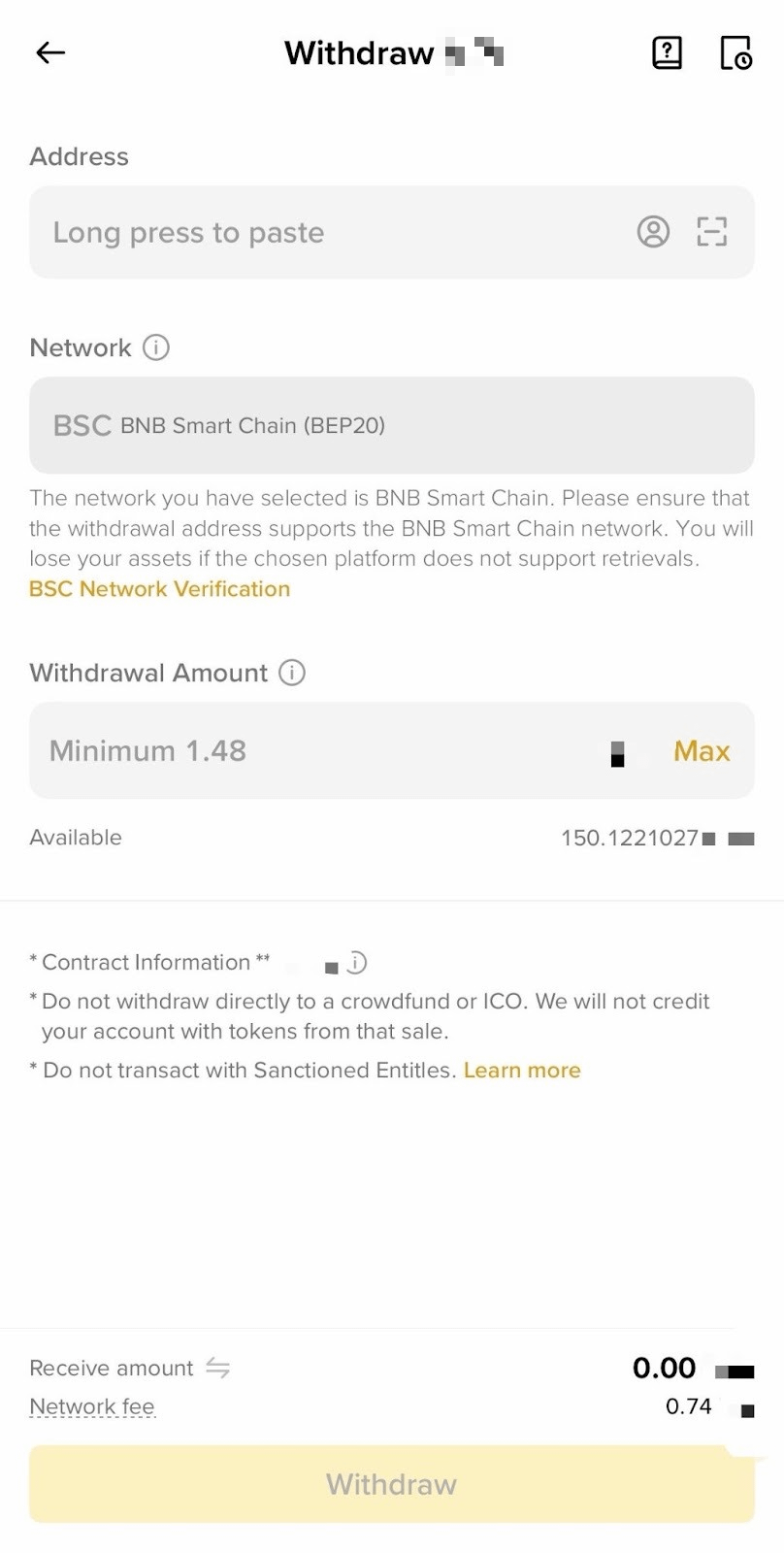
3. Paste the address you want to withdraw to. The system will automatically select the corresponding network. Please check whether the network matches the network of the platform you are withdrawing funds to. If they do not match, your funds might be lost and cannot be recovered.
Enter the withdrawal amount and you’ll see the network fee and the final amount you can receive. Tap [Withdraw] to proceed.
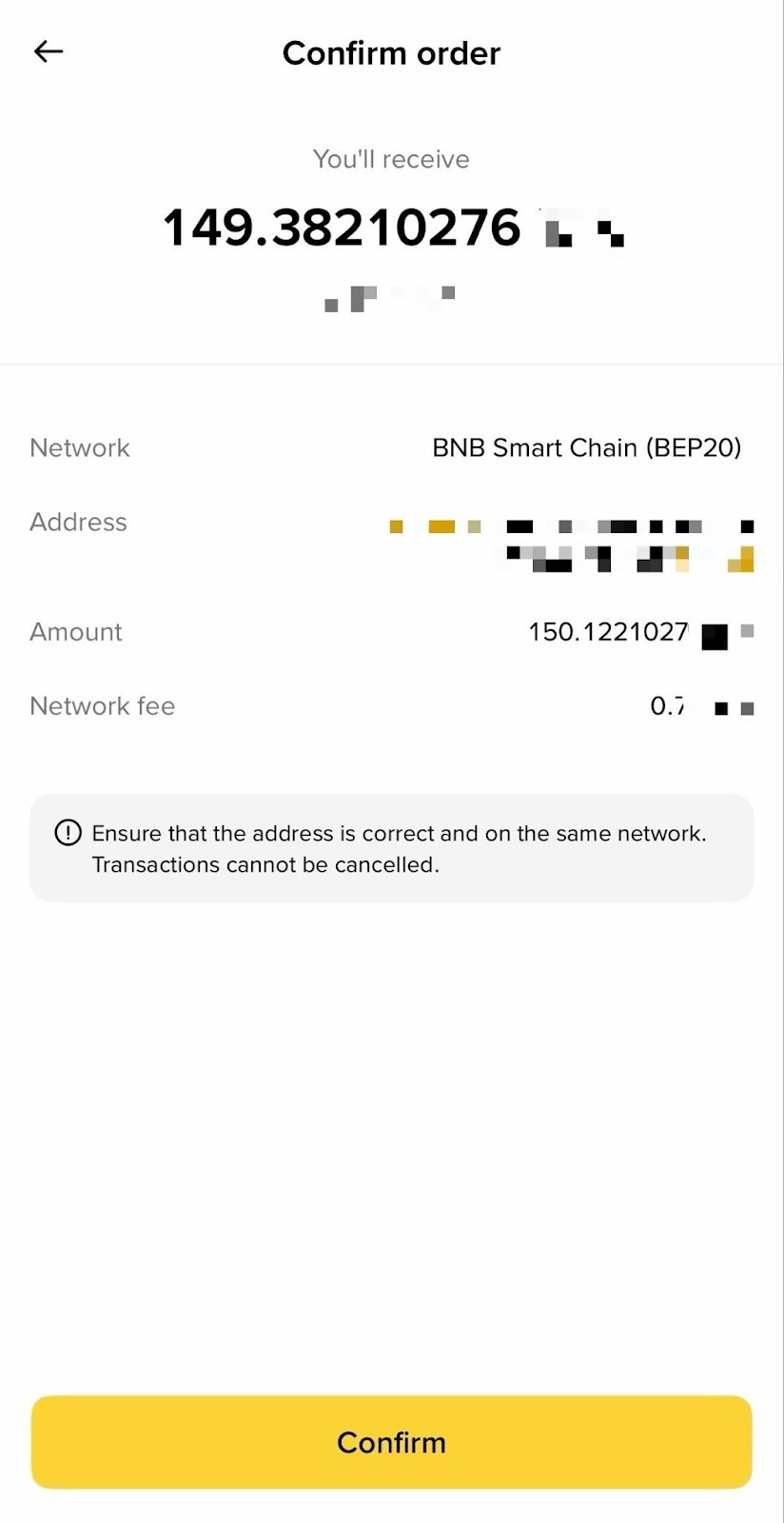
4. You’ll be prompted to confirm the transaction. Please check carefully before tapping [Confirm].
Important note: If you enter the wrong information, your assets might be lost and cannot be recovered. Please make sure the information is correct before confirming the transaction.
5. Verify the transaction with passkeys or 2FA. After confirming the withdrawal request, please wait patiently for the transfer to be processed.
1. Log into your Binance account and mouse over the wallet icon. Click [Overview].
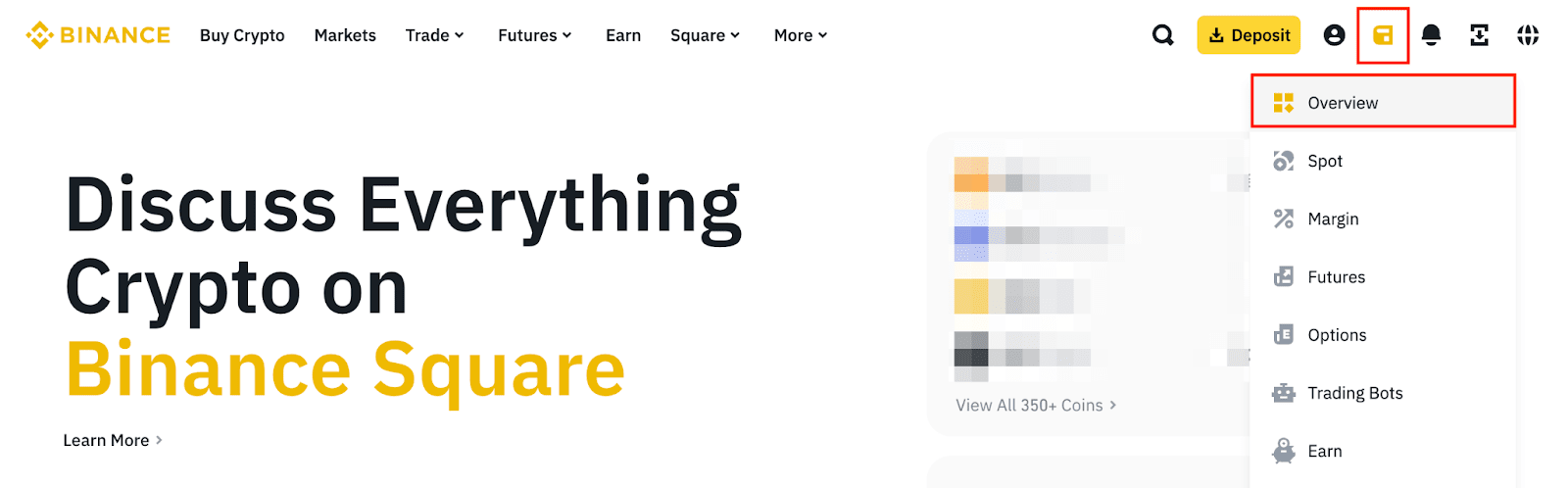
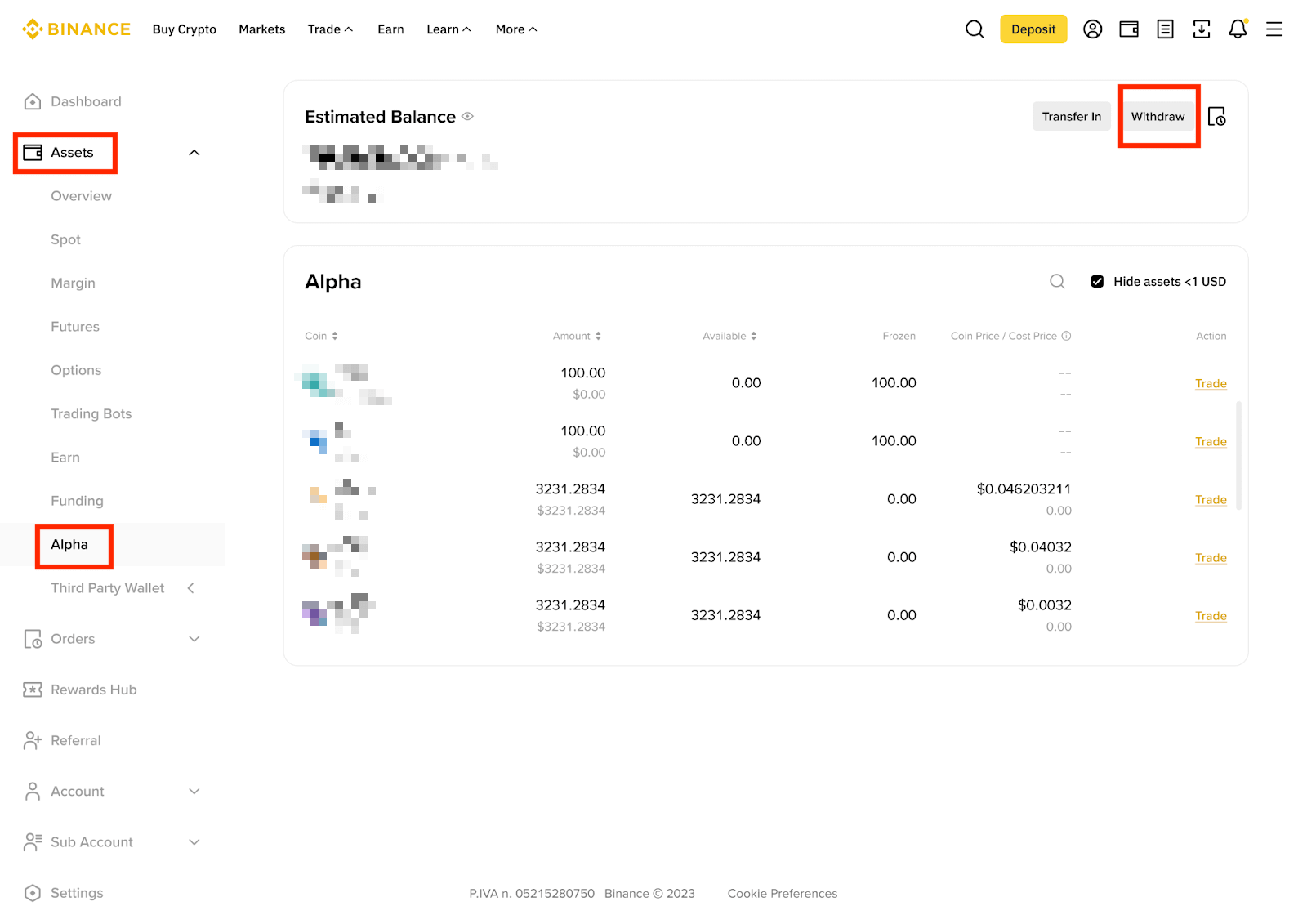
2. Under [Assets], select [Alpha], then click [Withdraw] - [Withdraw Crypto].
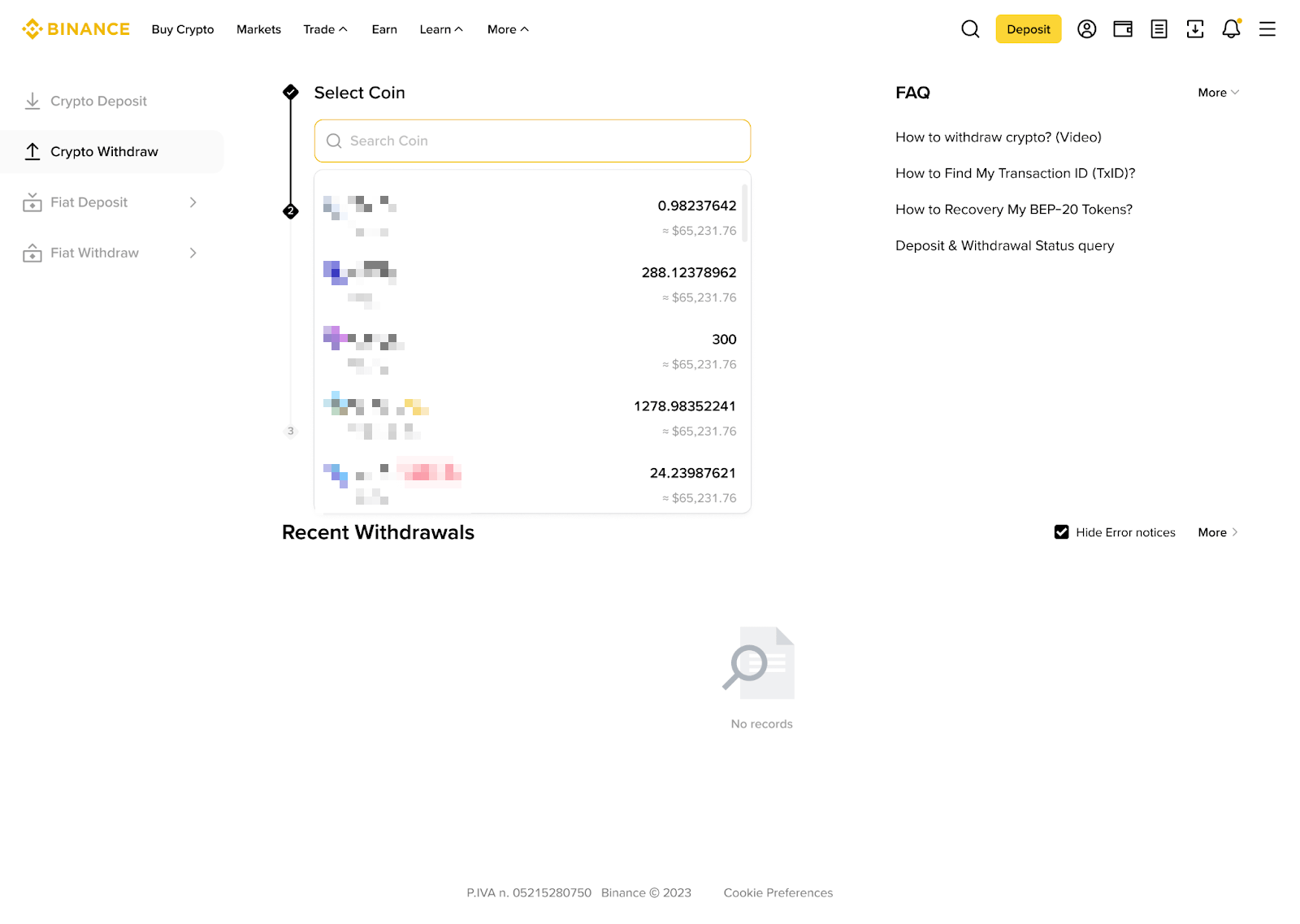
3. Select the Alpha token you want to withdraw.
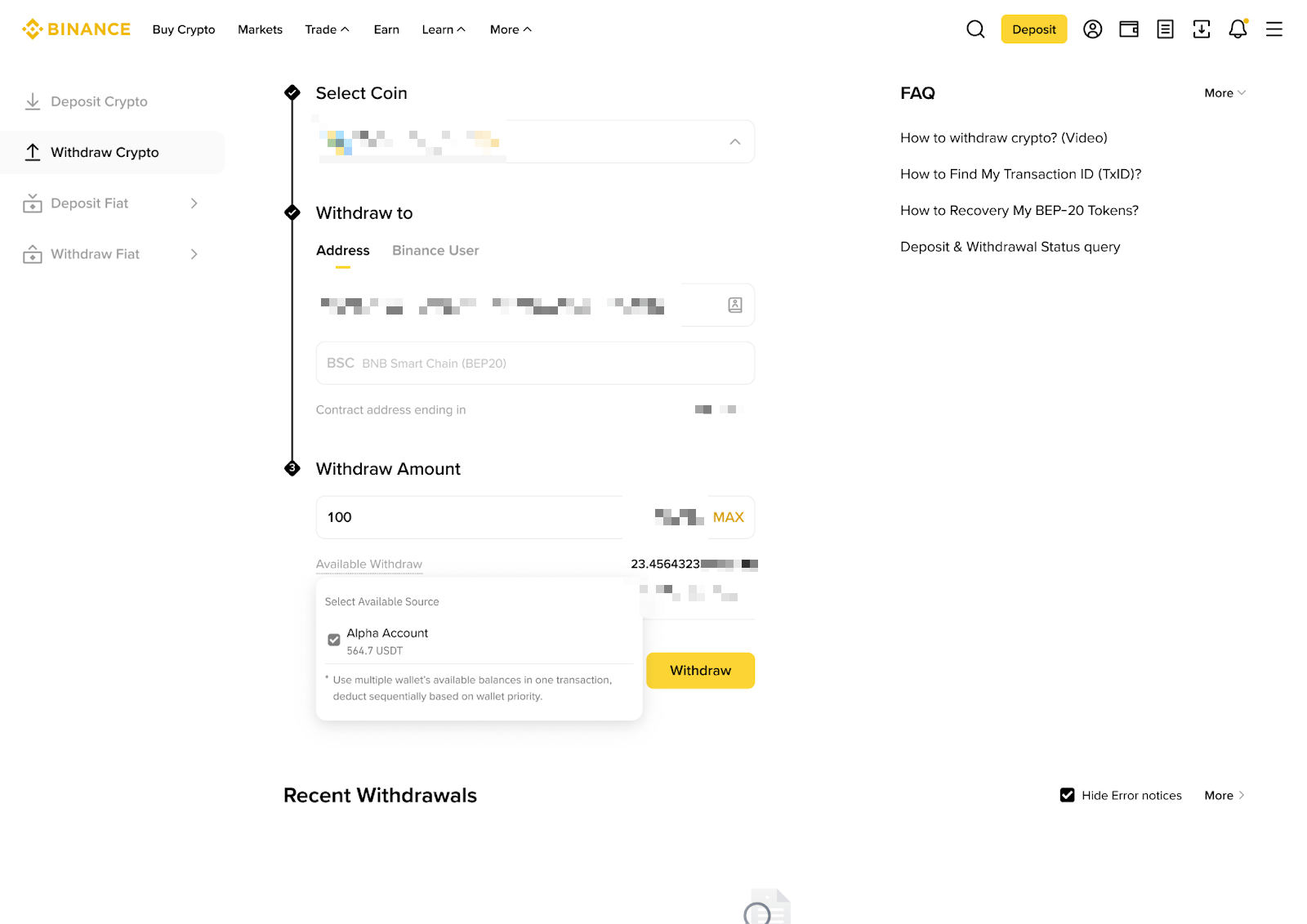
4. Paste the address you want to withdraw to. The system will automatically select the corresponding network. Please check whether the network matches the network of the platform you are withdrawing funds to. If they do not match, your funds might be lost and cannot be recovered.
Enter the withdrawal amount and you’ll see the network fee and the final amount you can receive. You can choose to utilize the funds in your Alpha Account. Click [Withdraw].
5. Check the withdrawal details carefully before clicking [Continue].
Important note: If you enter the wrong information or select the wrong network, your assets might be lost and cannot be recovered. Please make sure the information is correct before confirming the transaction.
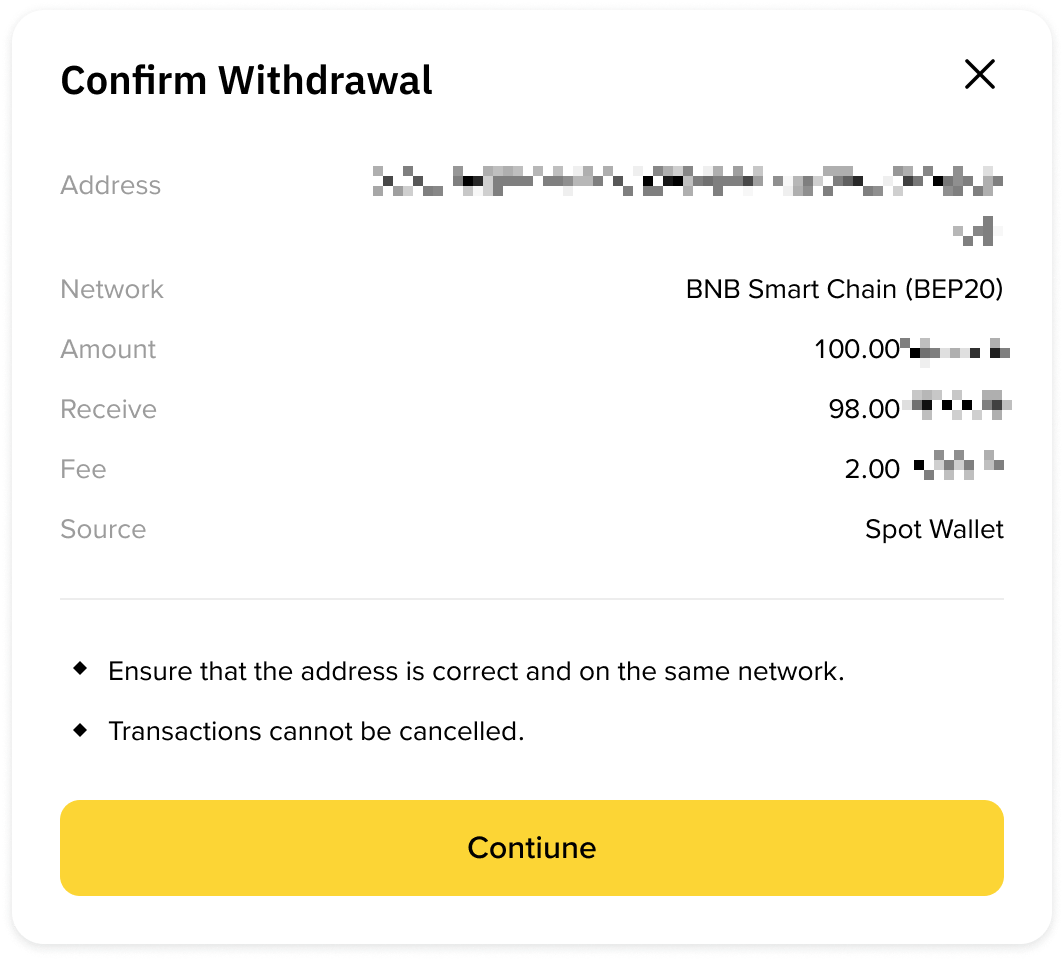
6. Verify the transaction with passkeys or 2FA. After confirming the withdrawal request, please wait patiently for the transfer to be processed.
No. Binance Spot Accounts do not support Alpha tokens. Any withdrawals sent from Alpha Accounts to Spot deposit addresses will be lost. You can only withdraw to Binance Wallet or other external wallet addresses.
No, Binance Alpha Accounts do not support standard direct deposits. You can only transfer Alpha tokens from your Binance Wallet to your Binance Alpha Account. Funds sent directly to Alpha addresses might not be recoverable.
For more information, please refer to Frequently Asked Questions on Transferring Funds From Binance Wallet to Binance Alpha Account.
Yes, Alpha network transaction fees and minimum withdrawal amounts are dynamic and may update frequently due to Alpha token price fluctuations.
After confirming your request on Binance, the transaction will require time to be confirmed on the blockchain. The confirmation time varies depending on the blockchain and its current network traffic.
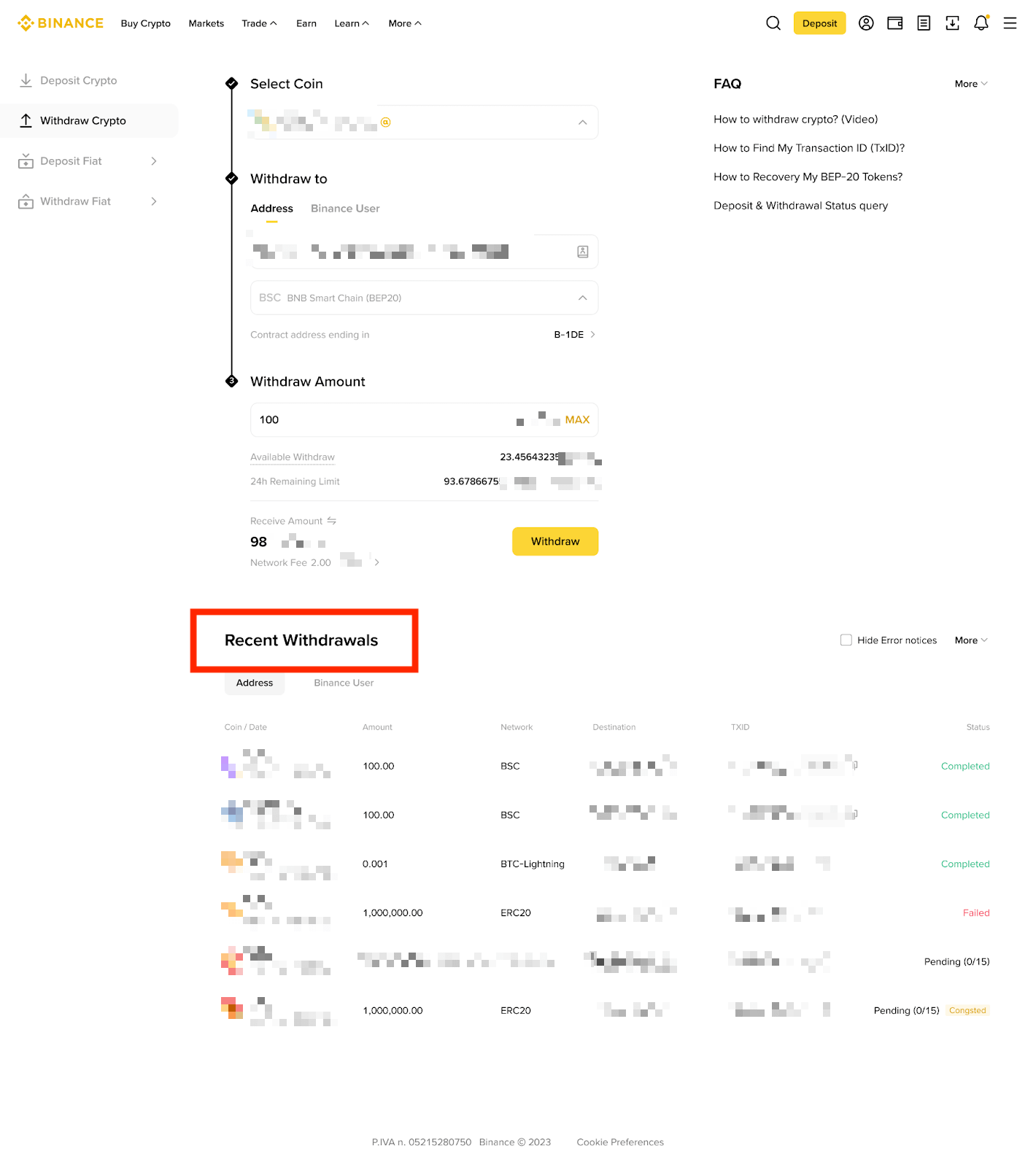
You can check the withdrawal status from [Withdrawal] - [Recent Withdrawals].
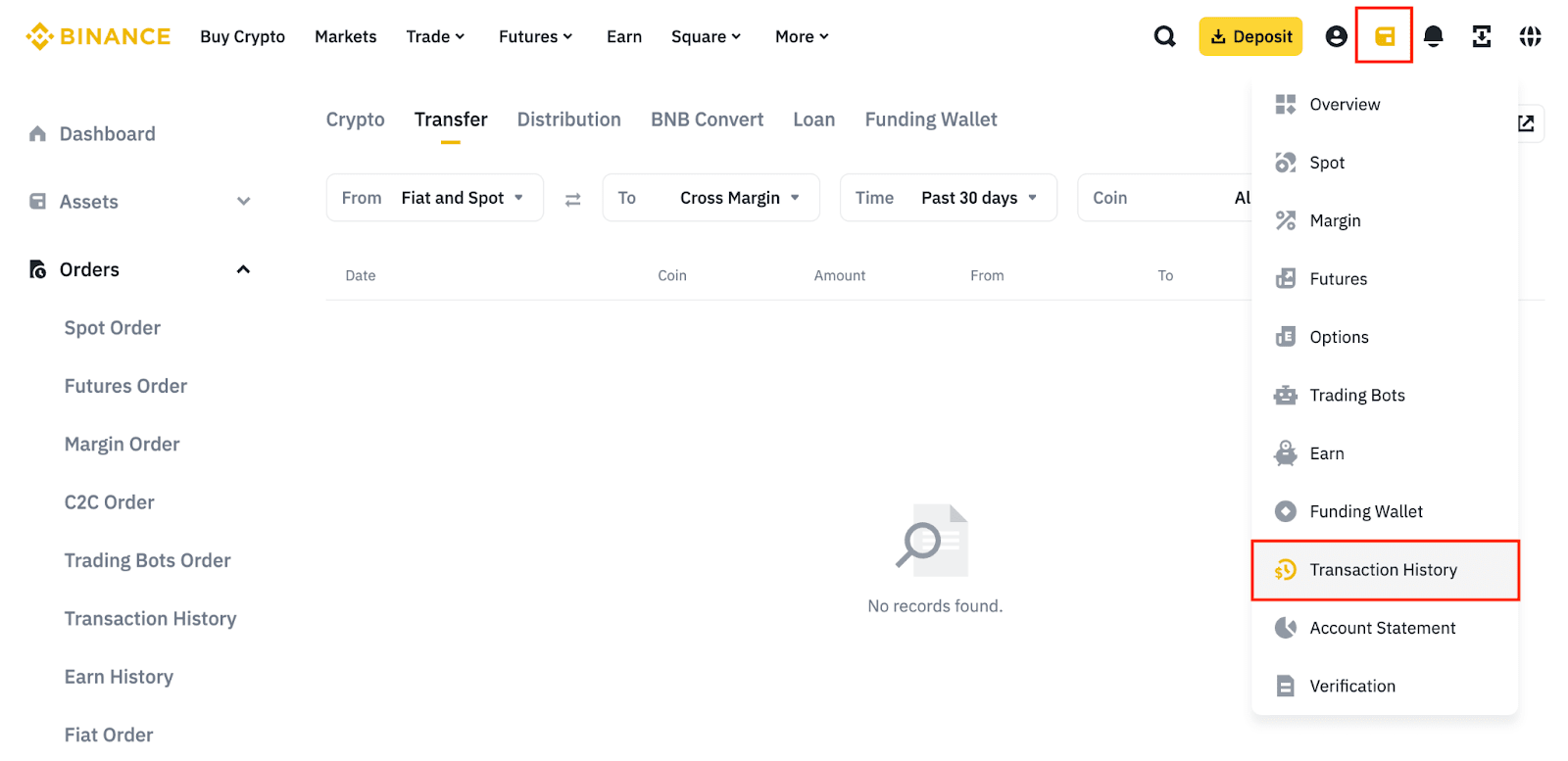
Alternatively, go to [Transaction History].
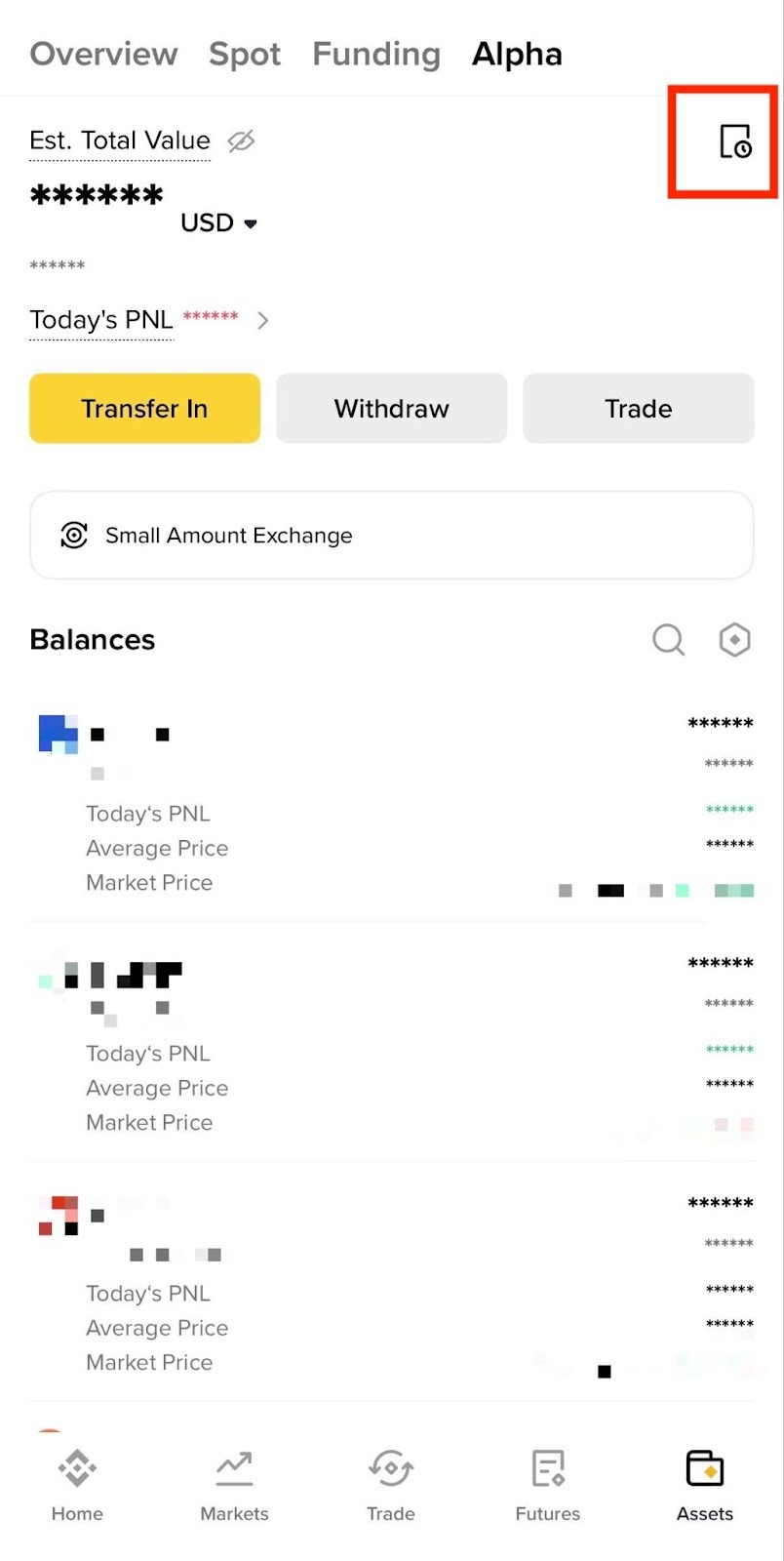
If you are using the app, go to [Assets] - [Alpha] and tap the transaction history icon on the right.
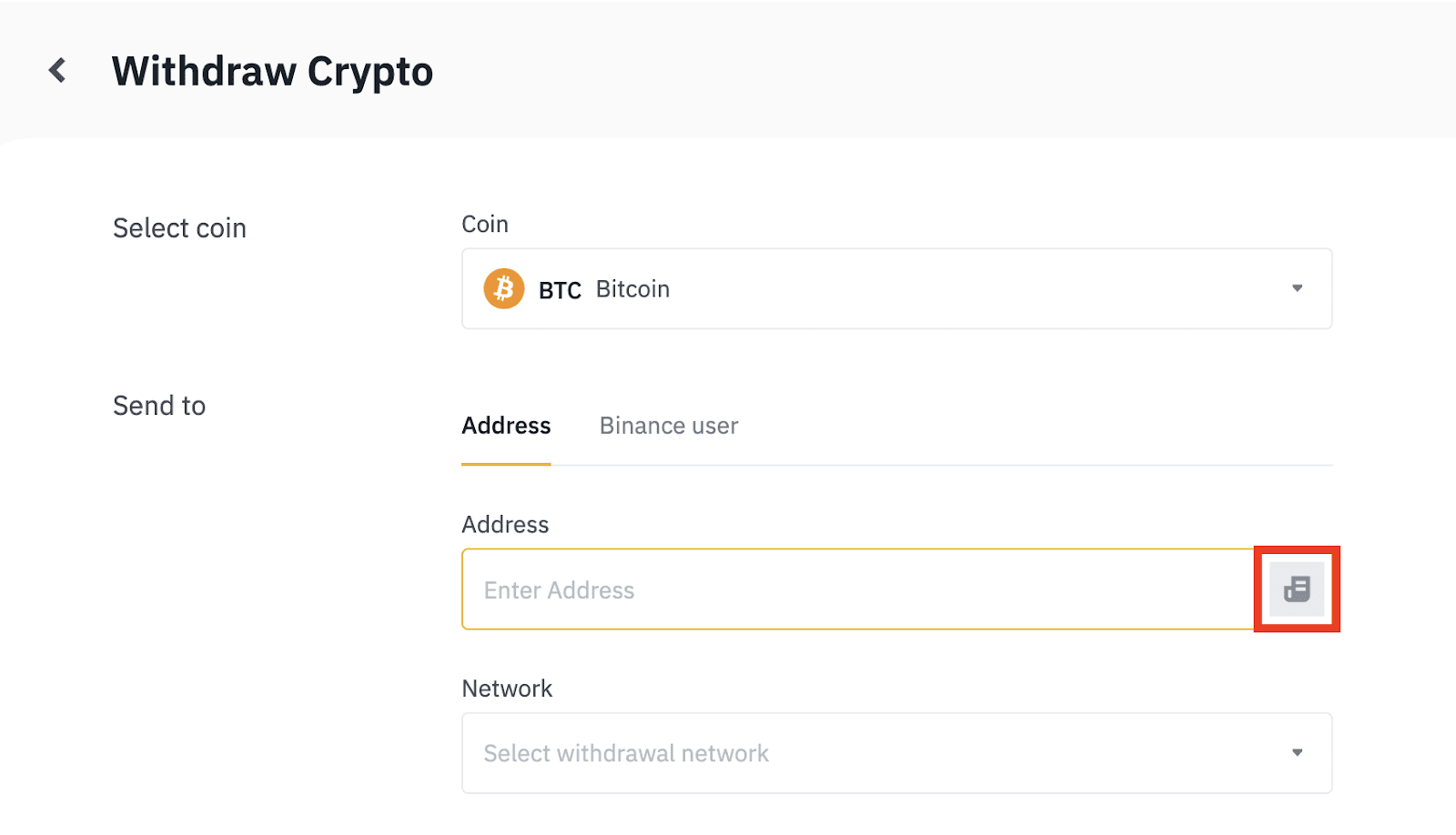
1. Go to the Withdraw Crypto page and click the address icon.
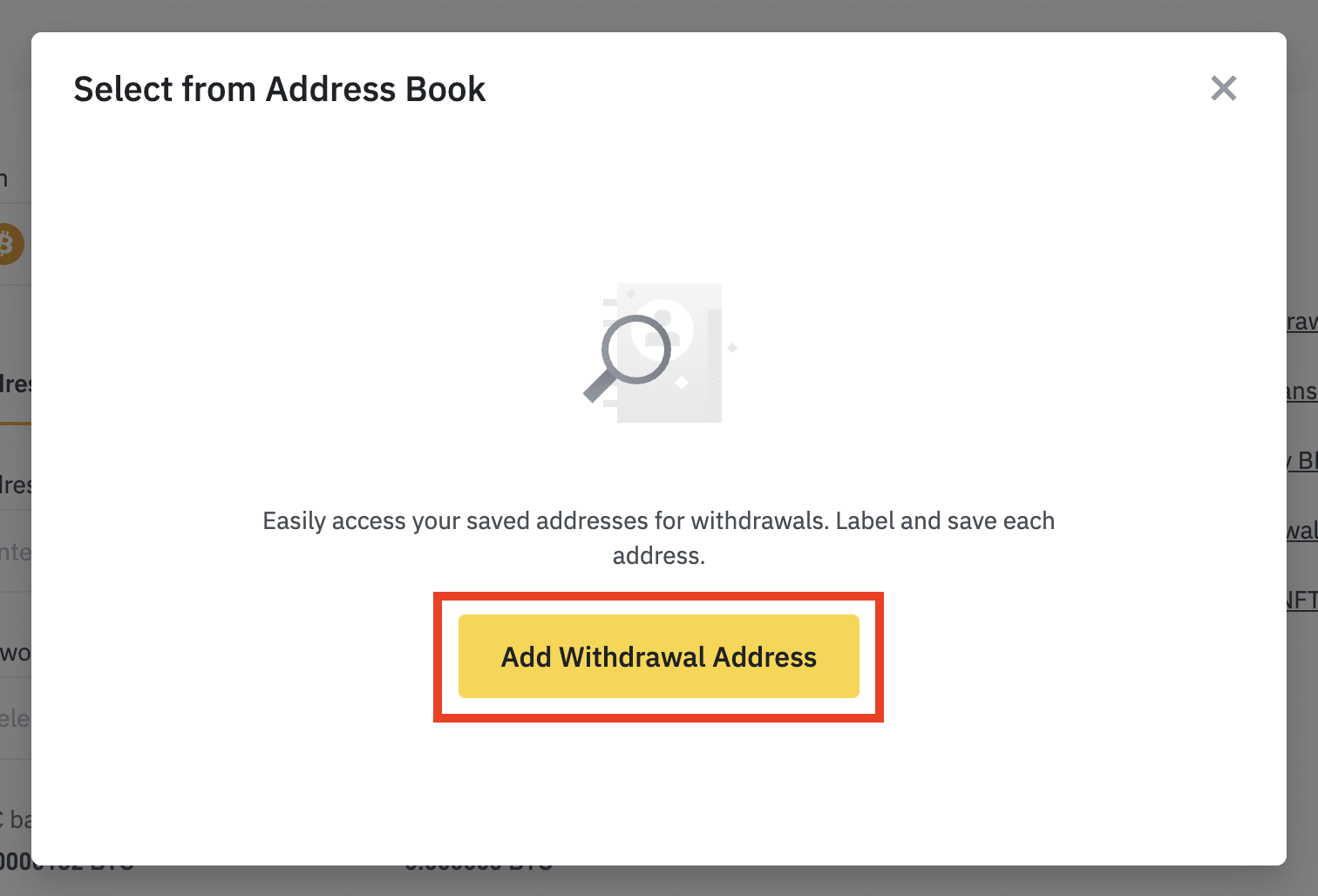
2. Click [Add Withdrawal Address].
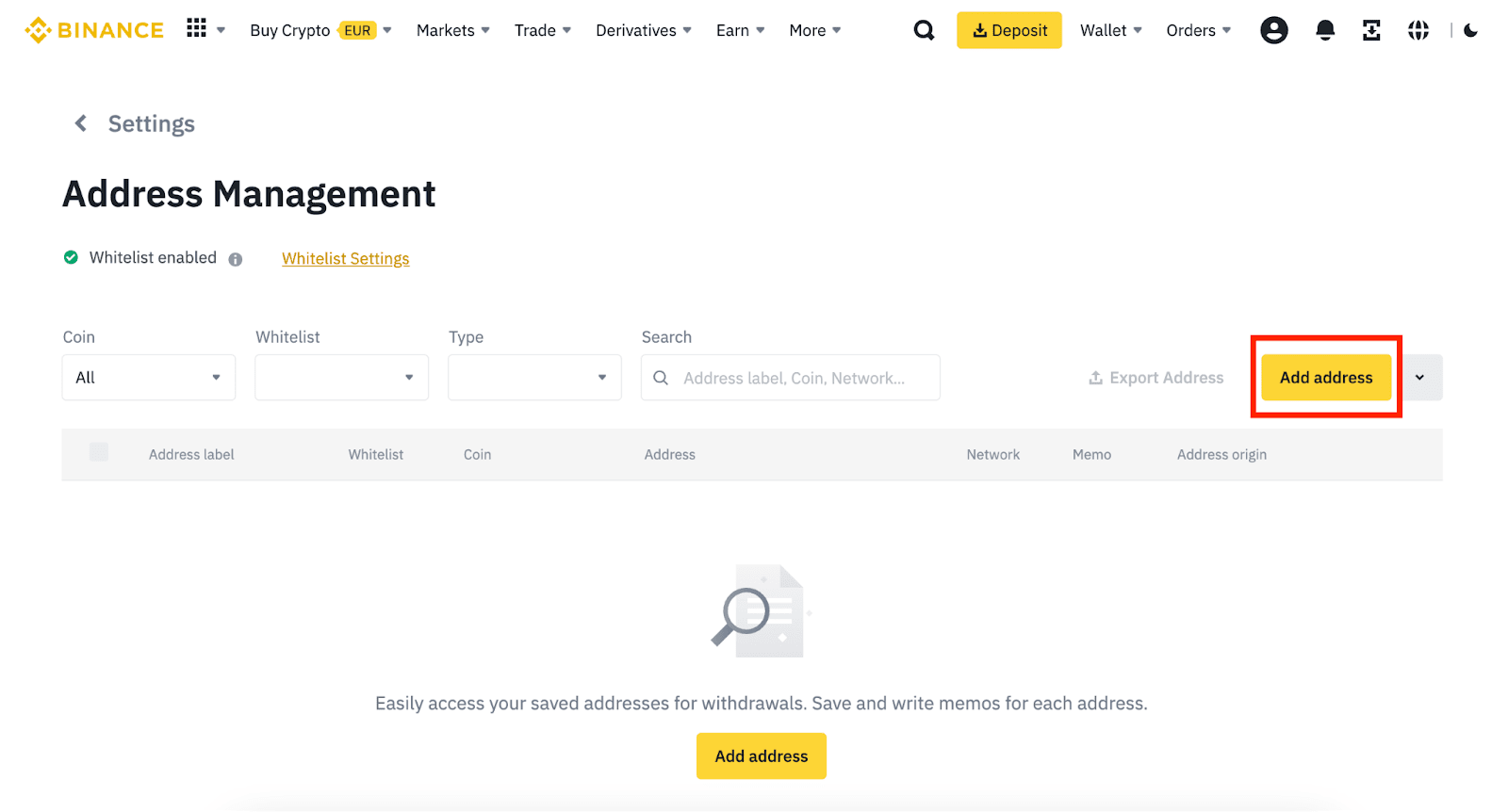
3. You will be redirected to the Address Management page. Click [Add Address].
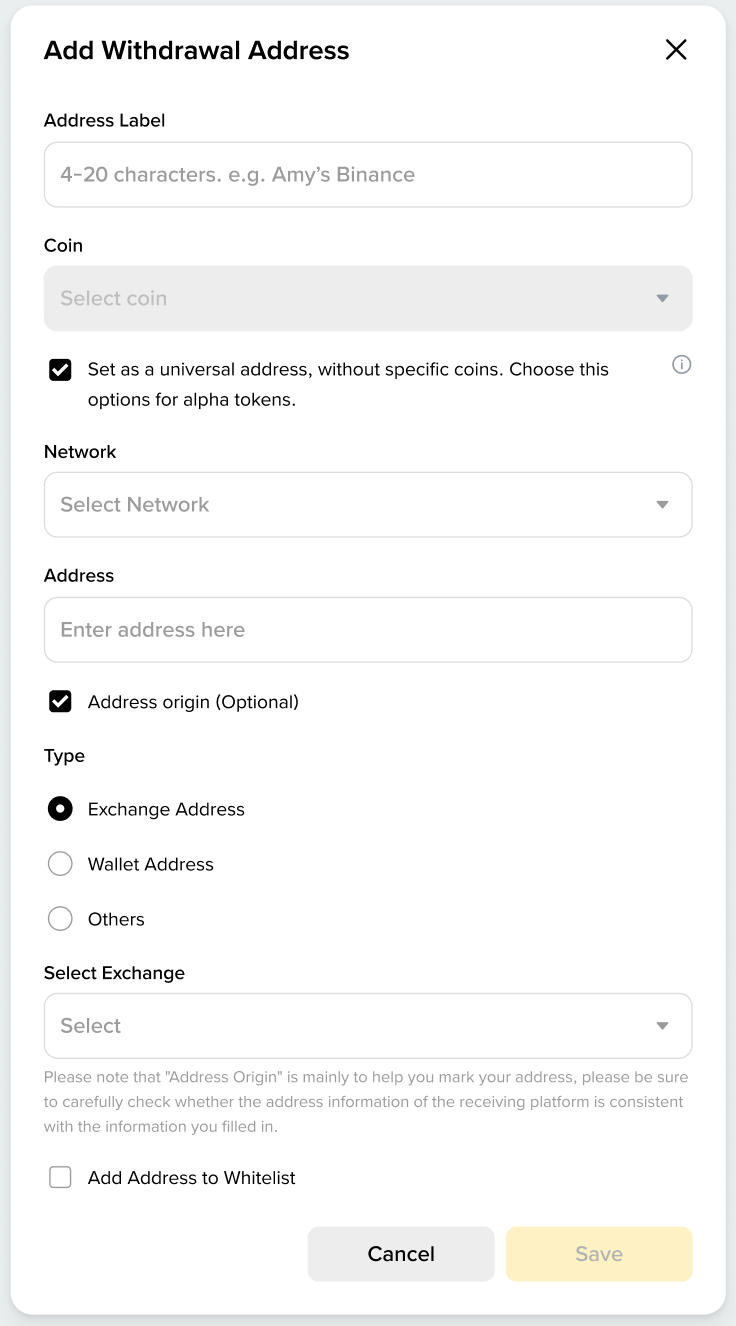
4. Select a universal address to withdraw Alpha tokens. A universal address can be used to withdraw all coins that match its network once it is created.
5. If you are using the app, Go to the withdrawal page and tap the address icon. You will be redirected to the [Add New Address] page.
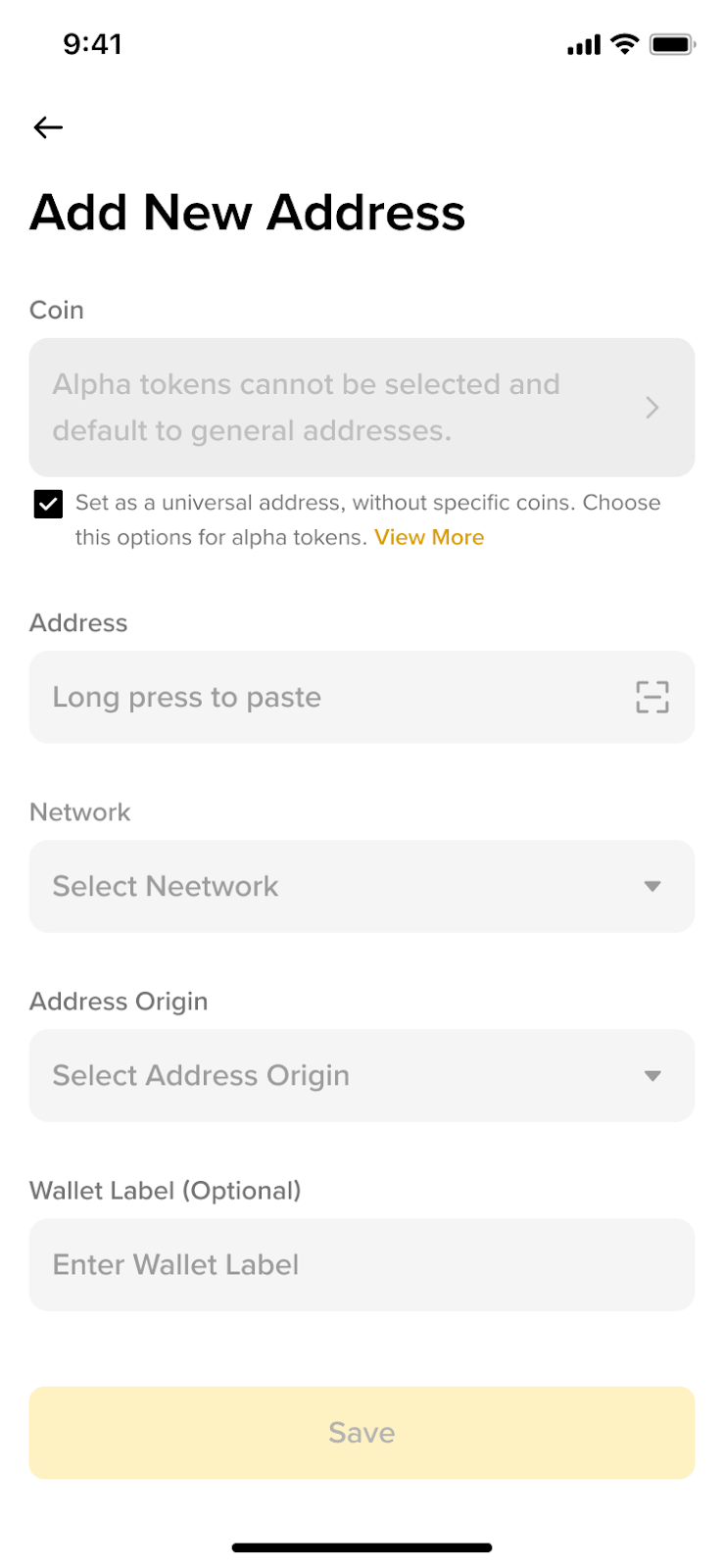
6. Verify your request and the address will be added to your address book.
For more details on the withdrawal whitelist, please refer to How to Enable Withdrawal Whitelist on Binance?
