Please note: This service is only available for customers in Kazakhstan and for cards issued from Kazakhstan.
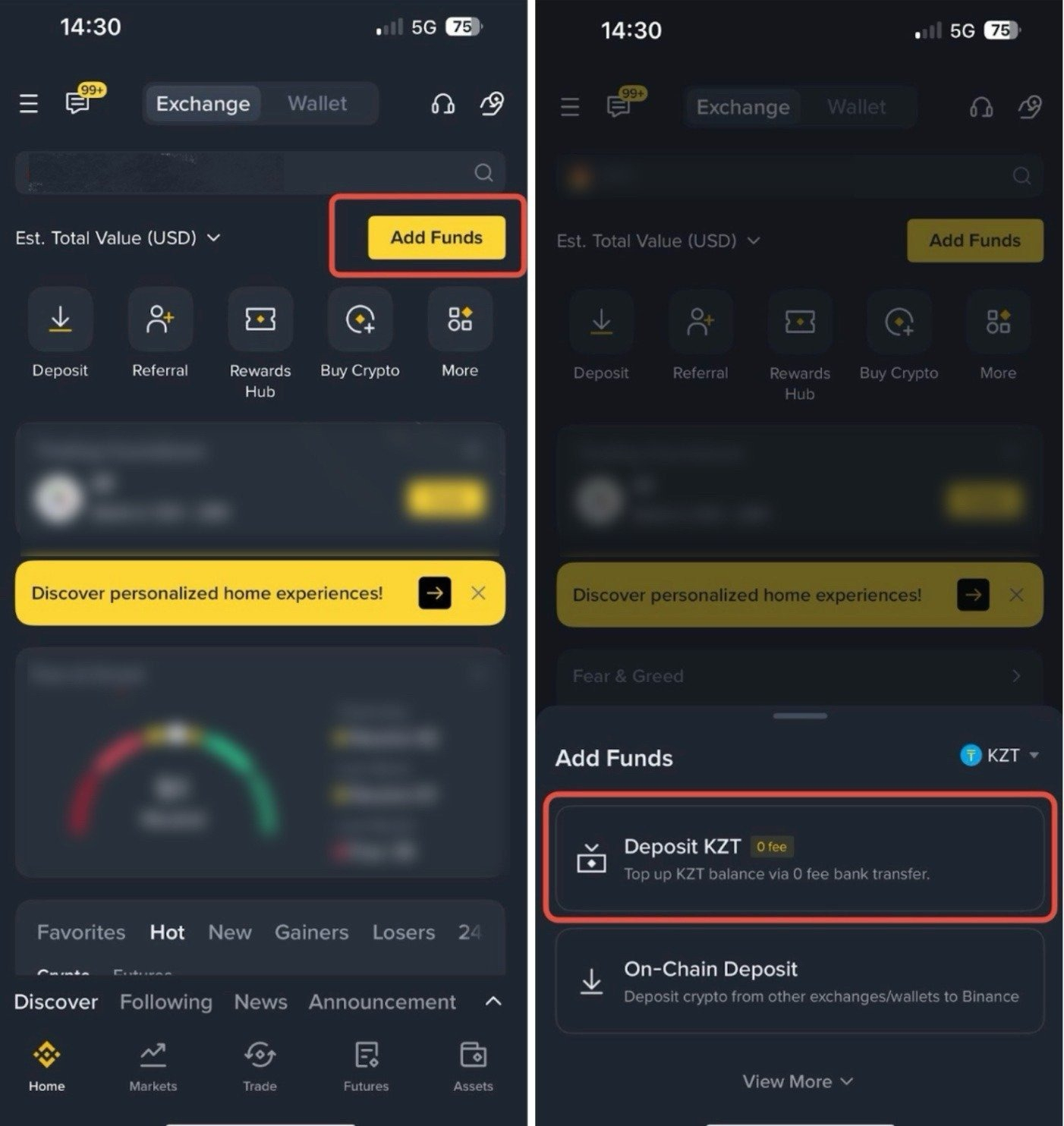
1. Log in to your Binance account and go to [Add Funds] - [Deposit KZT].
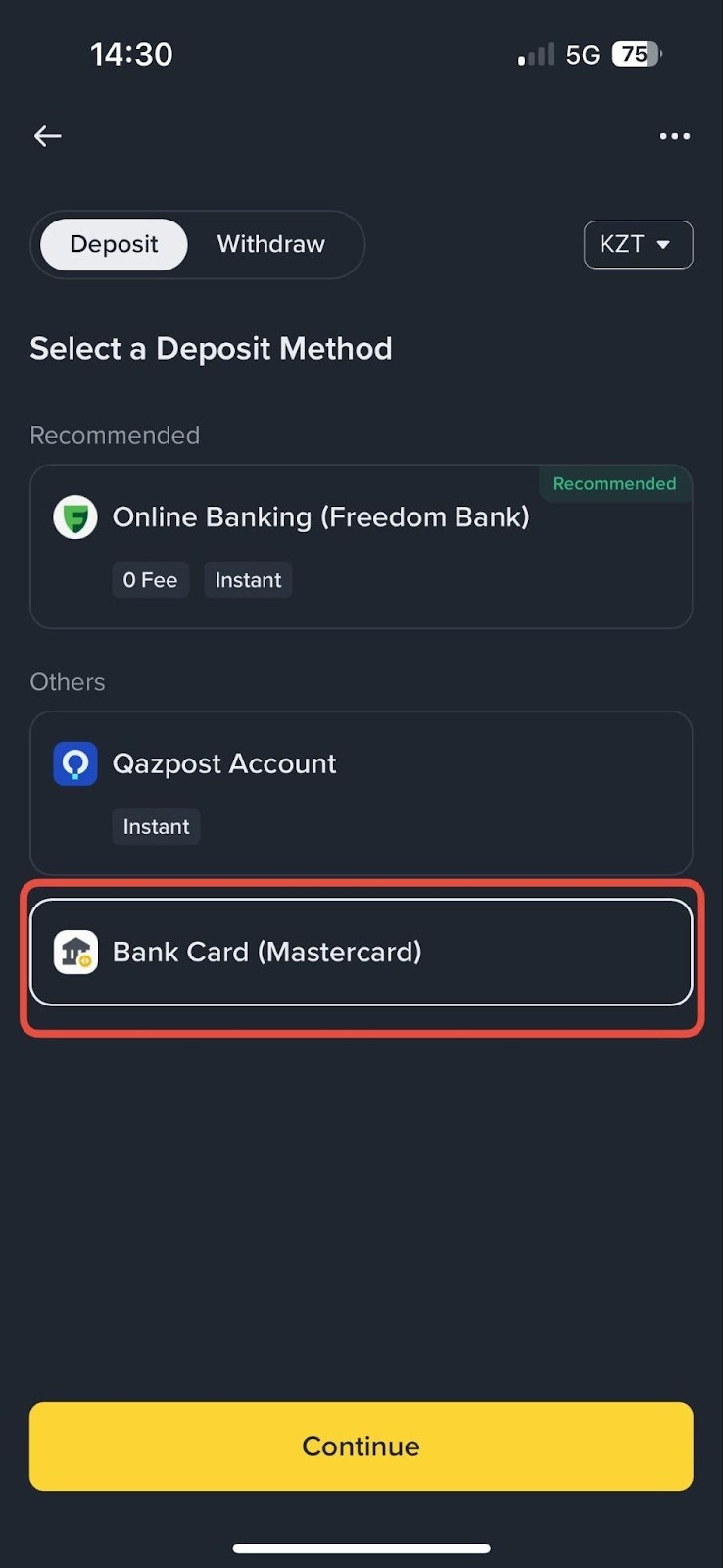
2. Choose [Bank Card (Mastercard)] and tap [Continue].
3. If this is your first time using this feature, tap [Add New Card >] and enter your card information. Otherwise choose the card you want to use.
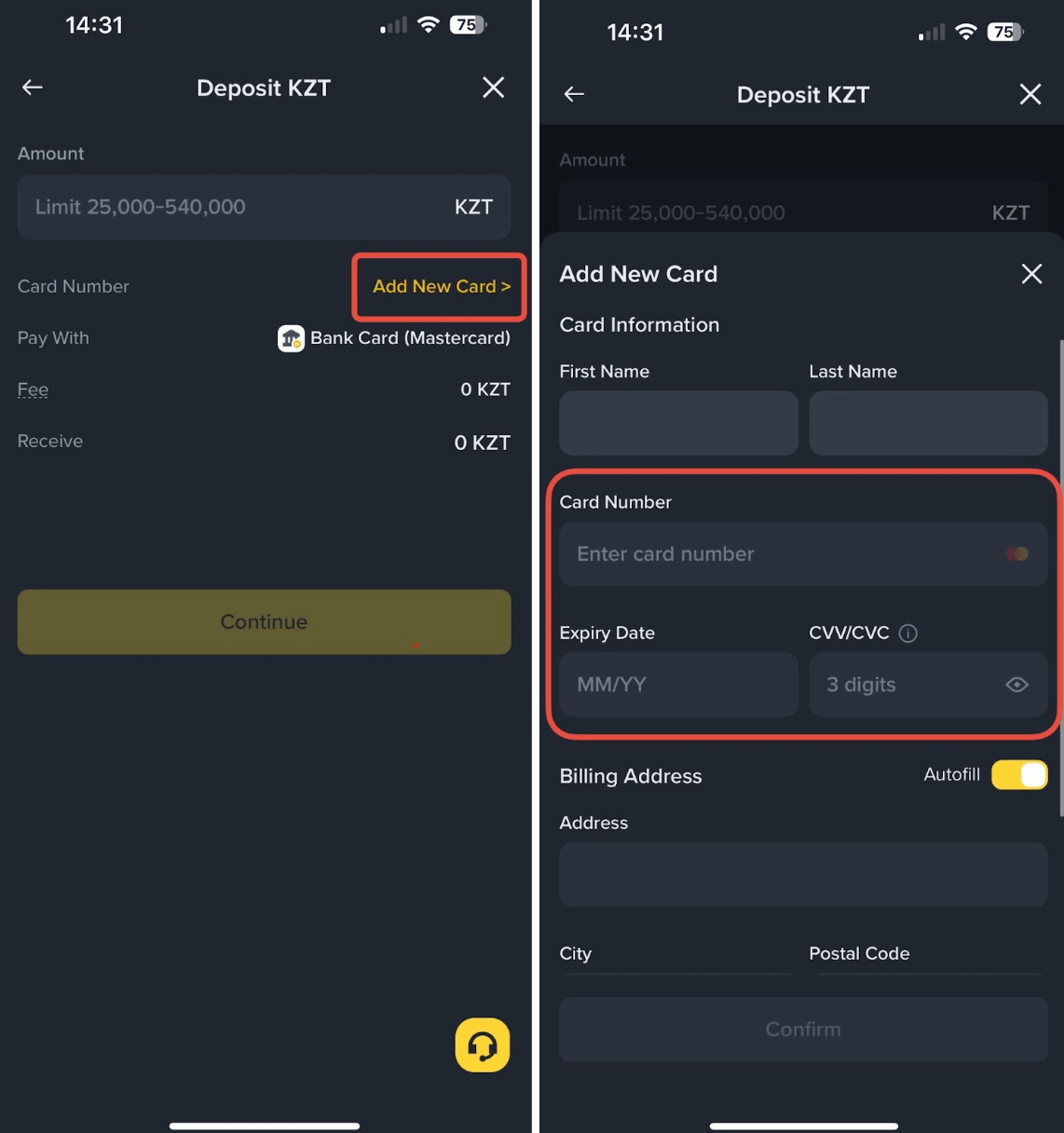
4. Enter the amount to deposit and tap [Continue].
5. You’ll be redirected to your bank’s website or app to process the transaction and complete any required verification.
Please note: Ensure that the bank account holder's name matches the one registered on your Binance account.
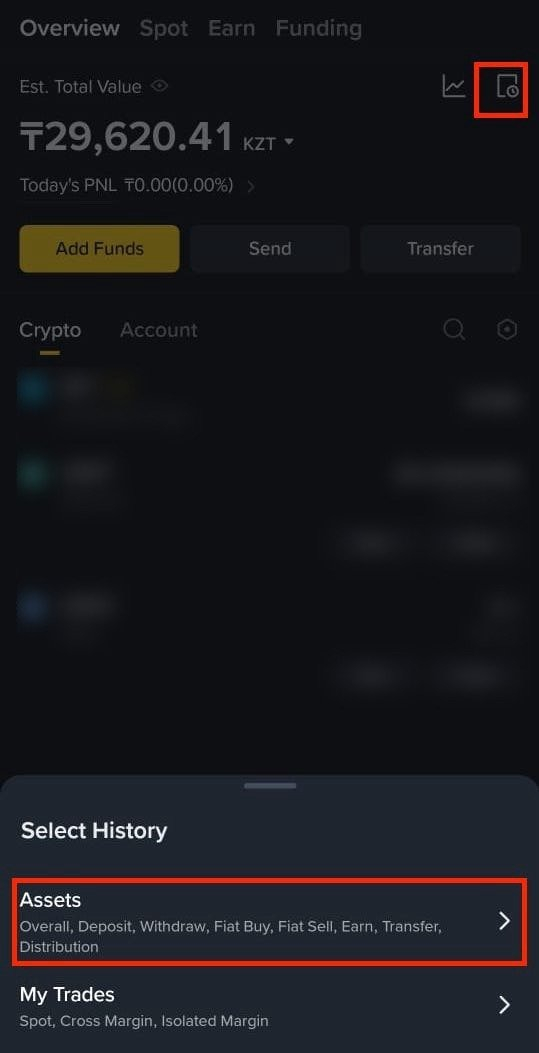
6. Confirm the transaction. Then, you’ll be able to view the deposited KZT in your Binance account.To check the order status tap [History] - [Assets].
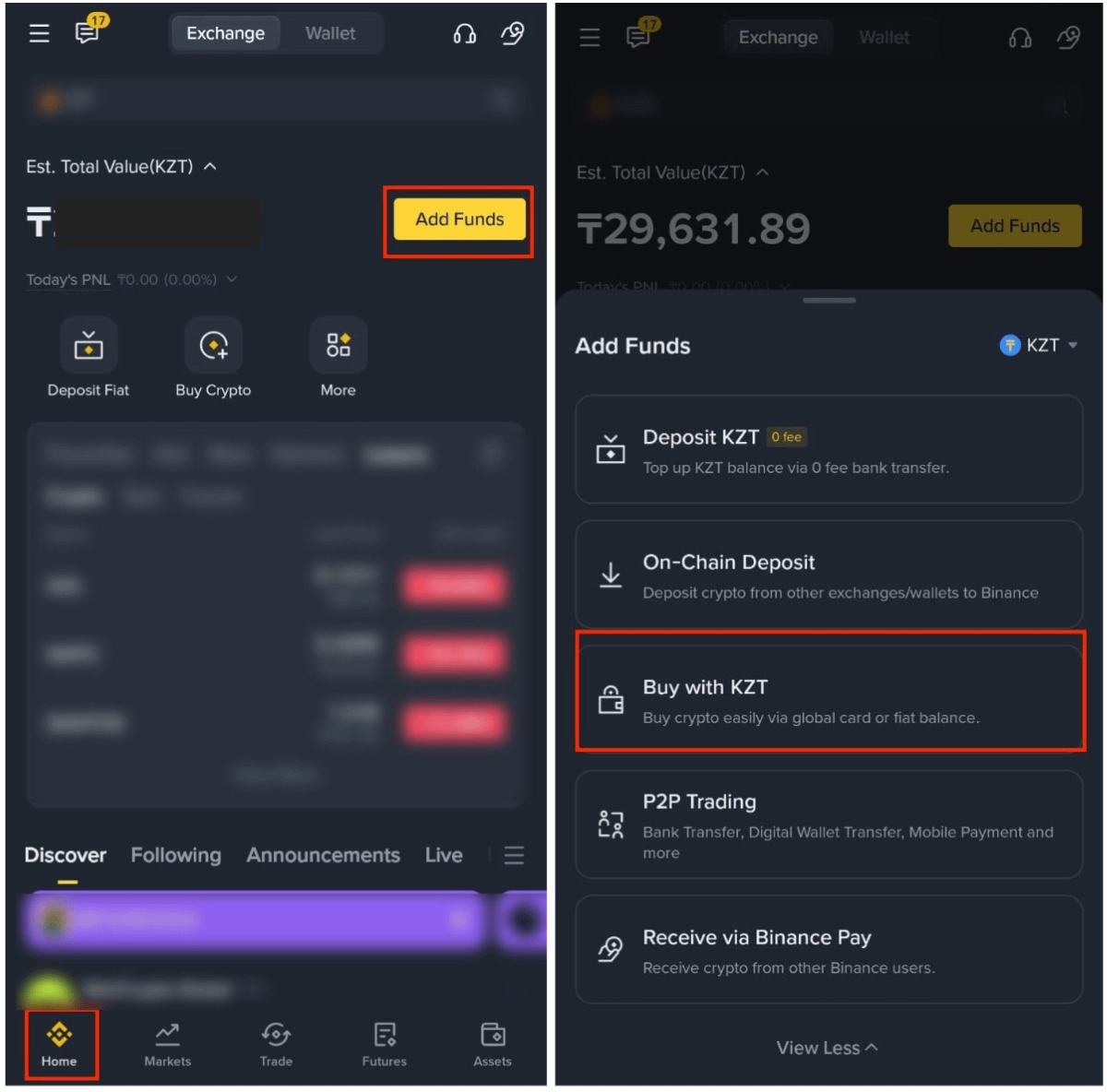
1. Log in to your Binance account and tap [Add Funds]. Choose [Buy with KZT].
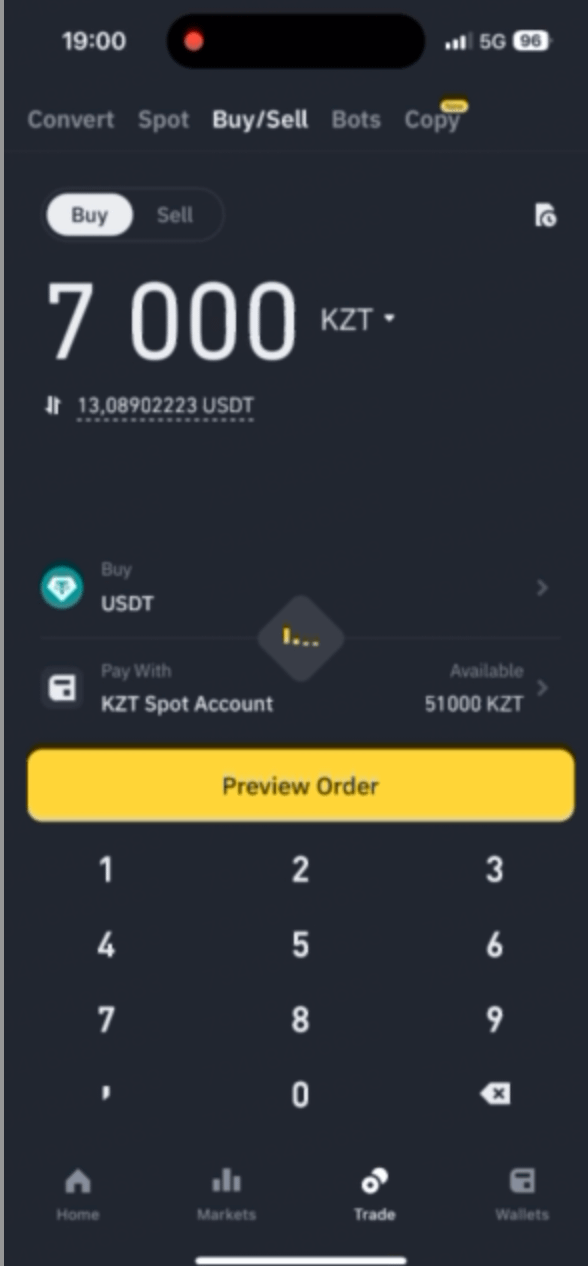
2. Enter the KZT amount to spend and choose the crypto you want to buy. Choose [KZT Spot Account] under “Pay with” and tap [Preview Order].
3. Check and confirm the order. Please confirm the order within the time limit, or the amount you can get will be recalculated. Tap [Refresh] to get a new quote.
4. Your order will be instantly processed after confirming and you can view the crypto balance in your Spot Account.
